TCP Fingerprinting Reads the Habits of Network Software
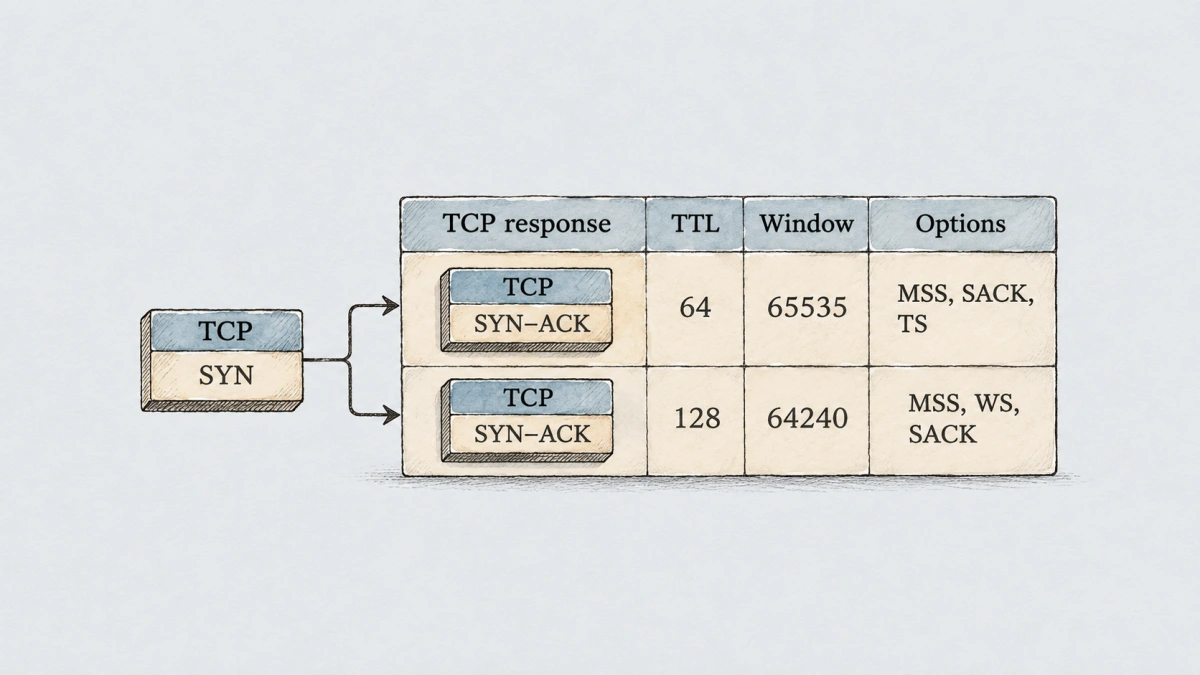
TCP fingerprinting compares a computer's network behavior with known patterns to estimate what operating system it is using. The operating system is the software that manages the computer's basic work. Its networking code can leave recognizable habits in the messages it sends.
TCP stands for Transmission Control Protocol, a set of rules for communicating between programs. Together with Internet Protocol, or IP, it forms part of a computer's network stack: the software that handles network communication.
A packet is a unit of network data carrying both contents and handling information. Fingerprinting examines patterns in that handling information and in the way a system replies, rather than reading an operating-system label supplied by the device's owner.

- Learn Nmap from the person who wrote it.
- Find out what is really running on your network.
- Go from basic scans to advanced techniques with one reference.
A combination of small choices
Different systems can include different TCP options or list them in a different order. An option is extra information that helps the two sides arrange their communication.
Other clues include the initial window size, which advertises how much data a receiver is prepared to accept, and patterns in the numbers used to track a conversation. One trait on its own may fit several systems. A combination can narrow the possibilities.
Nmap, a network-scanning tool, documents how it sends test messages and compares the replies with an operating-system fingerprint database. Its operating-system detection documentation describes using both TCP probes and probes based on another protocol, UDP, short for User Datagram Protocol.
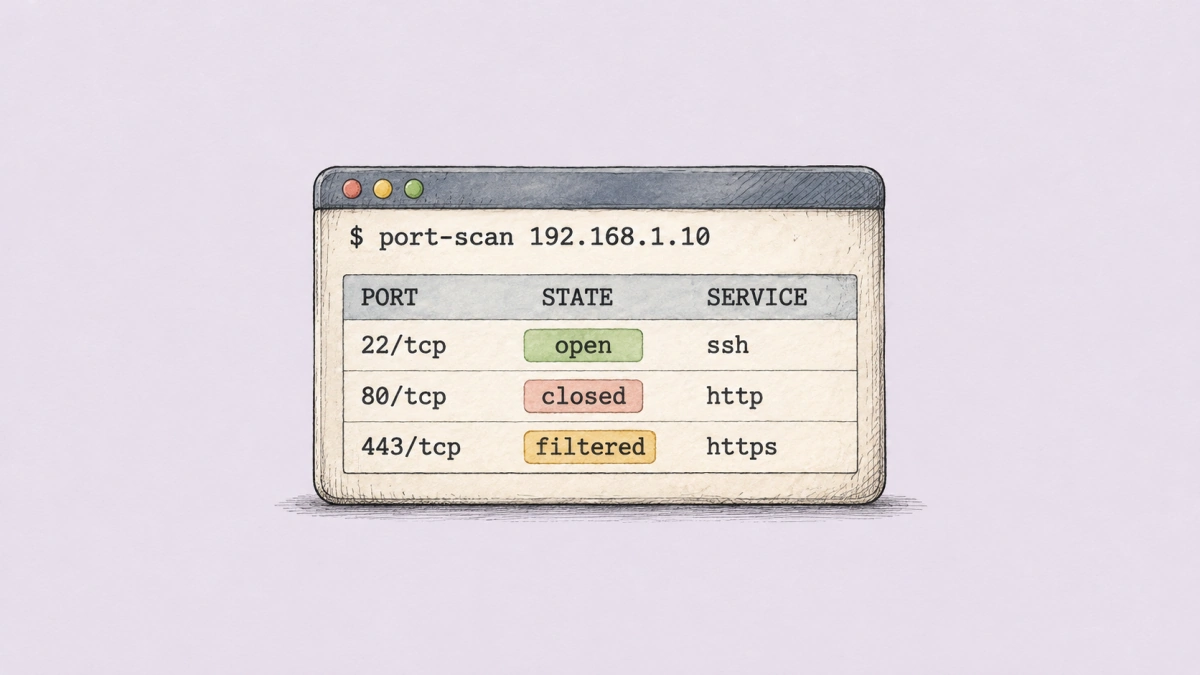
For Nmap, having both an open TCP port and a closed one improves the conditions for detection. A port is a numbered destination where a program can receive network traffic. Different replies from listening and nonlistening ports give the tool more behavior to compare.
If several operating-system versions behave alike on the network, their patterns may be difficult to distinguish. A fingerprint can therefore point to a family or a group of versions instead of one exact release.
Sending a question or watching a conversation
Active fingerprinting sends probes, or test messages, designed to produce useful replies. The tool chooses the questions and examines how the target answers.
Passive fingerprinting observes traffic already passing by. It doesn't send custom probes to produce its clues. The Nmap discussion of other detection methods explains this distinction and the difficulty of separating versions whose network behavior hasn't changed.
Neither method turns the pattern into a serial number. Two machines can run similar networking software, and one machine's behavior can change. The broader idea of fingerprinting is recognition from observable traits, with the limits that comparison brings.
Learn Nmap in Seven Minutes
What a match can tell you
Nmap may report several possible operating systems or mark a near match as a guess. Its guide to interpreting detection results shows that uncertainty in the output. A reported match score isn't a universal success rate for fingerprinting.
Operating-system inference also differs from a port scan, which examines where communication appears to be accepted, and from service-version detection, which seeks clues about a particular service.
A TCP fingerprint doesn't list all the machine's installed applications or identify its owner. A changed pattern doesn't establish an attack, either: a software change can alter the networking behavior that produced the match.
Port Scan: Reading Open, Closed and Filtered
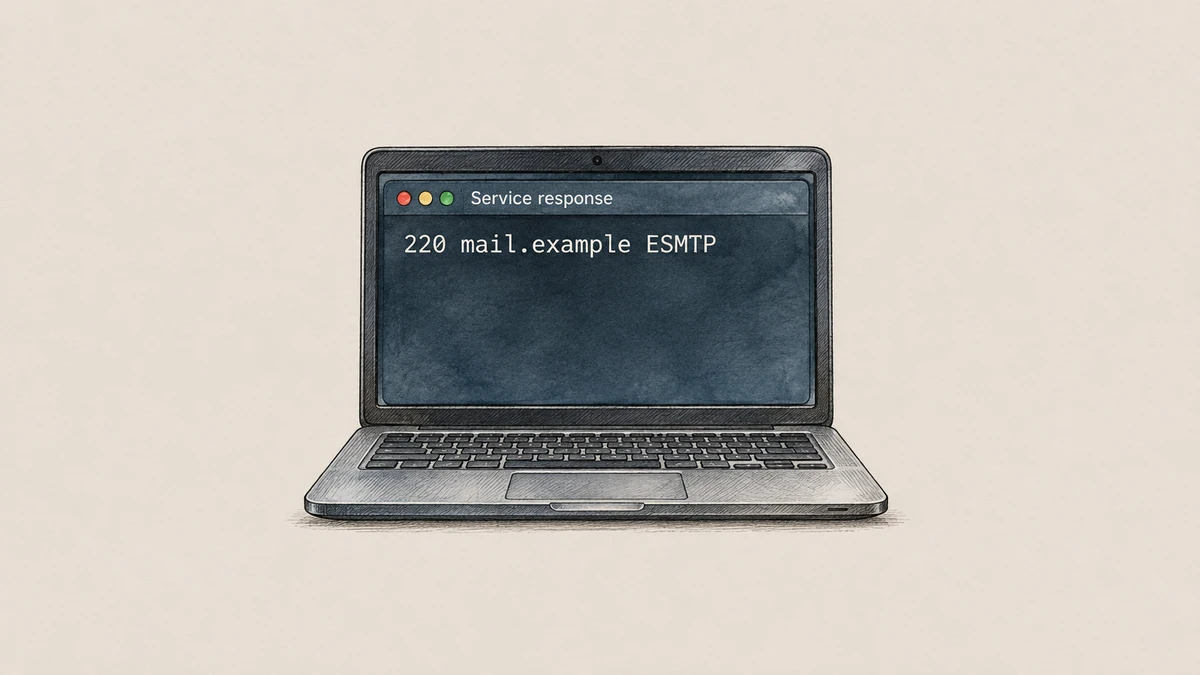
Server Banners: What a Computer Gives Away When It Says Hello
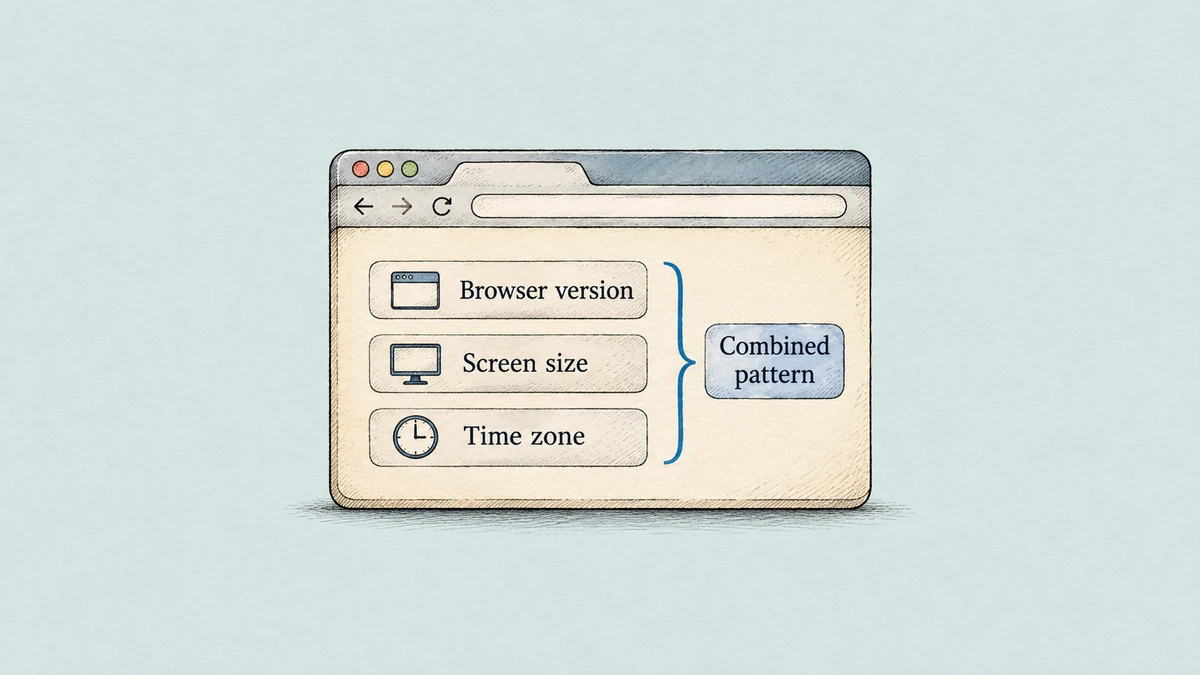
Fingerprinting: How Small Browser Details Can Give You Away
QUOTE:
"Amateurs hack systems, professionals hack people."