Fingerprinting: How Small Browser Details Can Give You Away
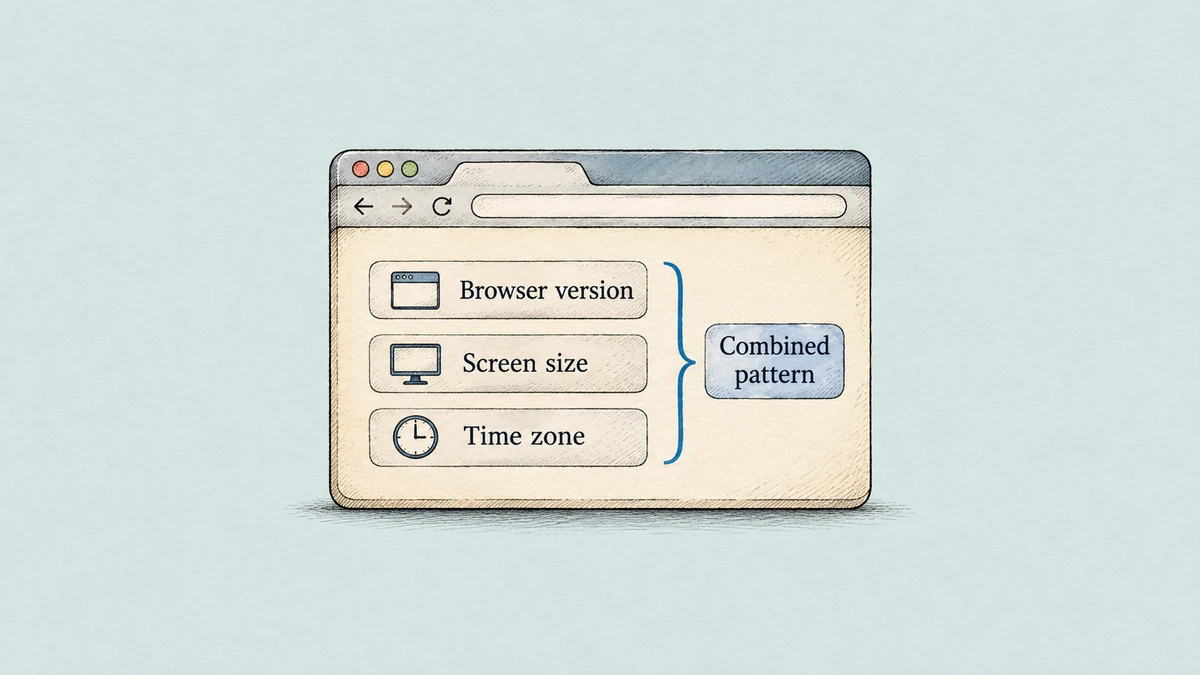
Your screen size, browser version and time zone sound like dull details. Put enough of them together, though, and a website may have a useful way to recognize your browser when it returns.
Fingerprinting means collecting observable traits and comparing their pattern to recognize a device, browser or type of system. The result is an educated identification, with limits: two systems can look alike, and one system's traits can change.
How Your Browser Gives You Away
How ordinary details become a profile
A browser shares some information when it requests a page. Code running on the page can ask for more, although the information available depends on the browser and its privacy protections.
Mozilla's web documentation lists clues such as language, display details and browser settings. A site can combine these into a profile, a collection of traits used for comparison.
An English-language setting alone won't distinguish many visitors. Adding a particular screen size, time zone and combination of other traits can narrow the group that matches.
That still doesn't guarantee a unique match, let alone identify the person at the keyboard.
Why clearing cookies may leave the clues
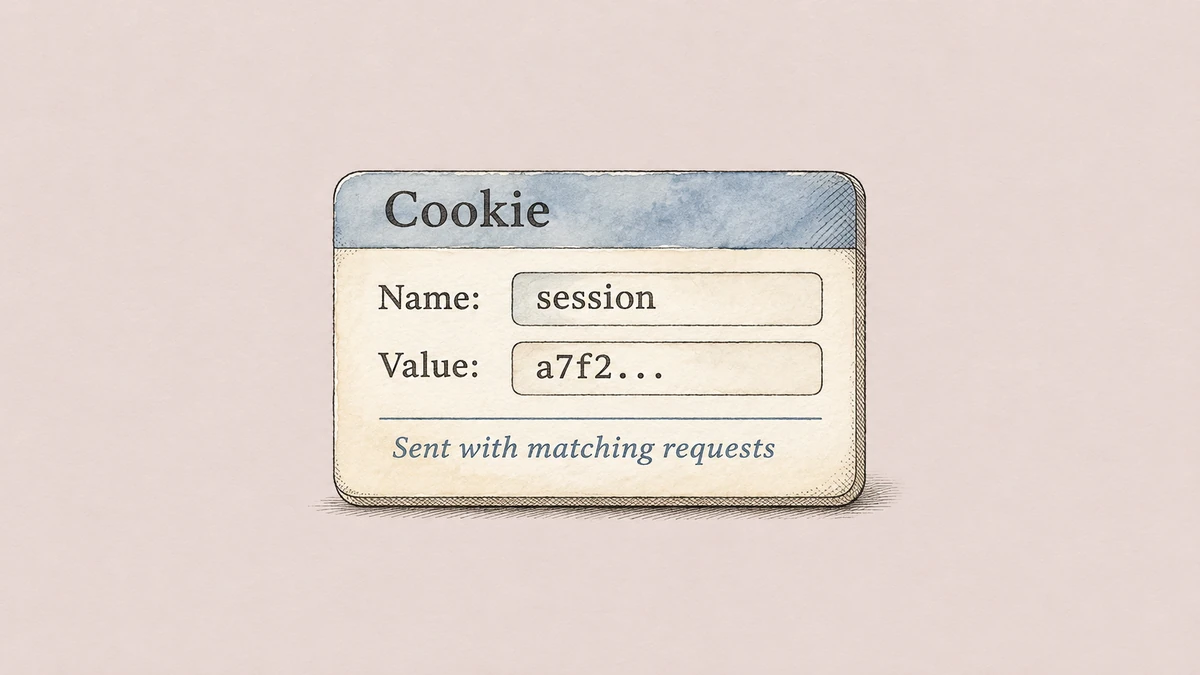
A cookie is a small piece of data a browser stores and sends with matching website requests. A tracking cookie can give a returning browser a saved identifier; fingerprinting can recognize traits without relying on that saved item.
Deleting cookies doesn't necessarily change your display, browser settings or other observable characteristics. The World Wide Web Consortium's fingerprinting guidance explains how this can undermine a person's attempt to start fresh.
A tracker may also connect observations across different sites where it operates. It doesn't need your legal name for a history of your visits to become a privacy concern.
If that history is later linked to an account or other identifying information, the connection can become more personal. Changing software or settings may change the fingerprint, but it doesn't promise a clean break from earlier records.

- Keep your browsing private on public Wi-Fi with one click.
- Protect the whole household on up to ten devices at once.
- Stop others from easily intercepting your personal details.
On a network, the question may be which system is running
Security teams use fingerprinting for a different job: learning about the systems they manage. An attacker can use similar observations to look for promising targets.
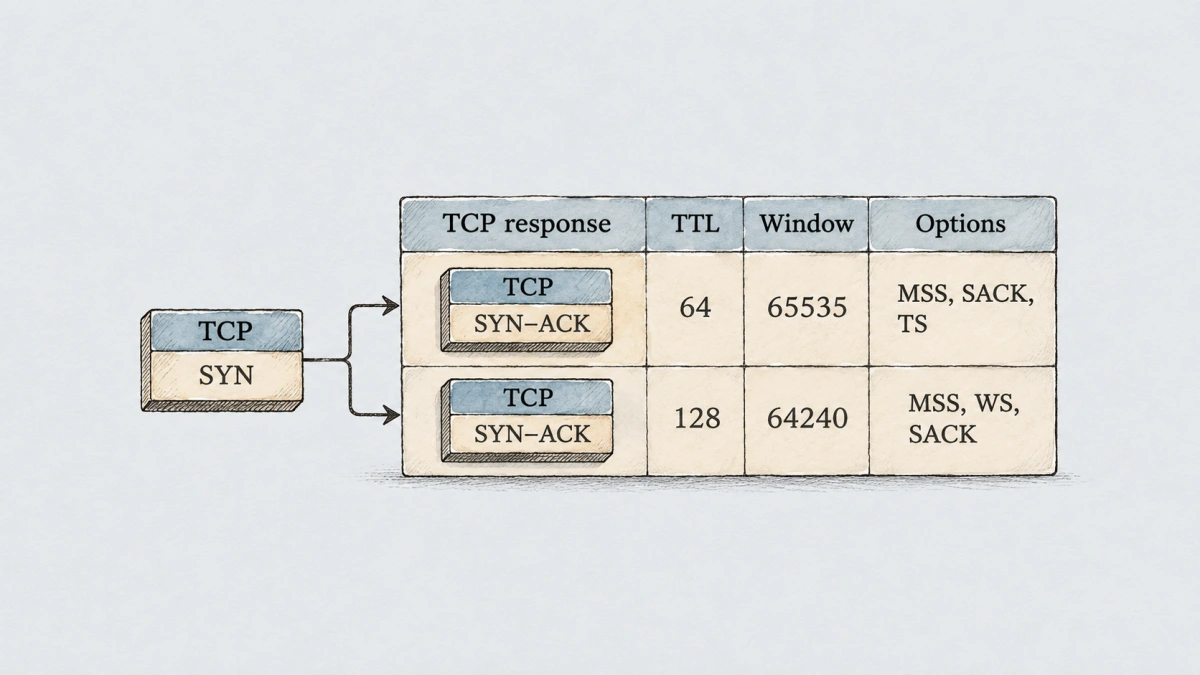
For example, the network tool Nmap can estimate a device's operating system, the software that manages its hardware and applications. It sends test messages and compares the responses with known patterns.
The result may be a close match or a rough guess, depending on what the tool can observe. It isn't a complete list of installed software, and it doesn't prove that a particular security flaw is present.
Here, “fingerprint” may describe a whole family of similar systems rather than one particular device.
Reducing what a browser gives away
Browser protections can block known tracking code or limit the details websites can collect. Firefox's documentation describes both approaches, with protection levels that depend on settings and browsing mode.
Check what your browser actually offers instead of assuming that private browsing erases every identifying clue. A feature that blocks known trackers may still miss an unfamiliar one.
When someone claims a fingerprint identifies you, ask what was matched, how common those traits are and how the result was checked. A recognizable pattern can be useful evidence without being a name tag.
Privacy: What Happens to Your Data After You Share It?
Browser Cookies: What They Remember About You
TCP Fingerprinting Reads the Habits of Network Software
QUOTE:
"Amateurs hack systems, professionals hack people."