Ping Sweep: What Changed on the Network?
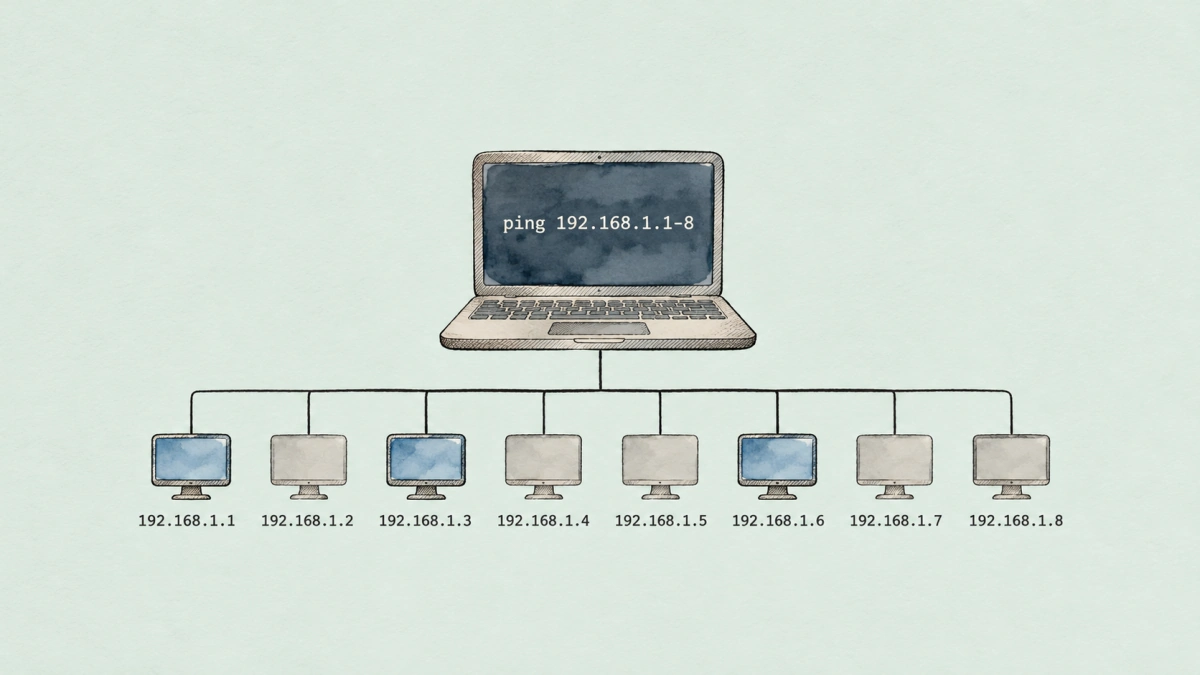
Suppose an administrator compares today's responding network addresses with yesterday's list. One familiar address is missing, and another has begun to answer. A ping sweep can reveal that change. Finding out whether a computer moved, a filter changed or a new device arrived takes the next step.
A ping sweep checks a set of network addresses for responses. It's a way to discover active hosts, the devices participating in a network, and to narrow the places that need closer examination.
The name overlaps with ping scan. Nmap's official reference guide uses both terms for host discovery. “Sweep” emphasizes looking across addresses, not a separate protocol or a different level of security testing.
Learn Nmap in Seven Minutes
Asking across a range
An Internet Protocol address, usually called an IP address, identifies a network location the scanner can target. In a sweep, the scanner works through an agreed set of candidate addresses instead of assuming a device exists at each one.
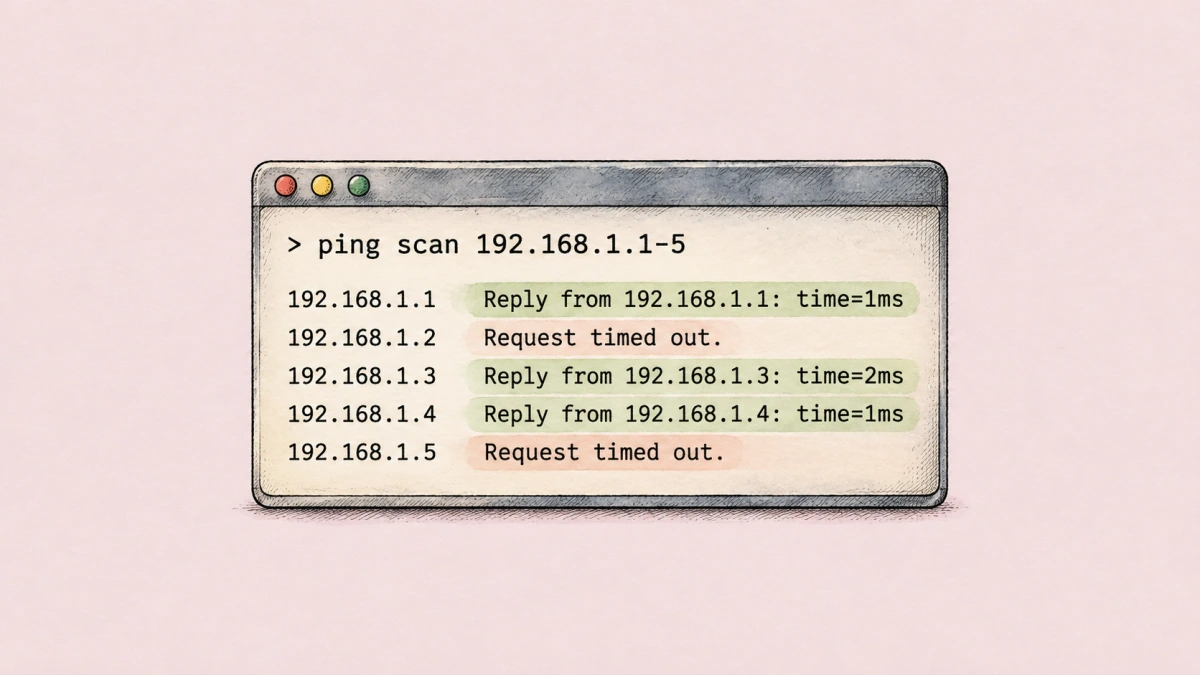
A simple method sends an echo request using the Internet Control Message Protocol, or ICMP. A responding system sends an echo reply, which the scanner can match to the request. Other host-discovery methods can use different kinds of network probes.
The resulting list records where the chosen probes received useful answers. It can help an administrator compare the network they expected with what could be reached during the sweep.
When the list changes
Take the missing address in the office example. If its computer was turned off, the missing reply may reflect that. But a filtering rule could produce the same result by dropping the request or the answer. An active computer can disappear from a scan's results without disappearing from the network.
The ICMP specification doesn't guarantee that a control message will arrive or that a reply will return. Nmap's guidance also describes how filtering can hide hosts from discovery.
A new reply needs interpretation too. It supplies evidence that the address answered under these conditions. It doesn't identify the physical device, show who is using it or establish that it's unauthorized.
Comparisons are more useful when the administrator keeps the time, scanning location and probe method in view. If those change between sweeps, part of the difference may come from how the network was observed.

- Learn Nmap from the person who wrote it.
- Find out what is really running on your network.
- Go from basic scans to advanced techniques with one reference.
Across addresses is different from along a route
A sweep asks which addresses in a chosen set respond. Traceroute asks about the path toward a destination, including intermediate network devices called routers.
For example, Windows' tracert tool sends probes designed to obtain replies from successive routers along that path. Microsoft's tracert documentation describes that route-tracing behavior. It isn't the same as sweeping a collection of candidate hosts.
The distinction explains why a ping sweep alone won't locate the troublesome step on the route to a game server. It answers a discovery question about addresses, not that path question.
The administrator can compare the newly responding office address with address-assignment and device records. A match may explain the new entry; an unfamiliar result gives them a particular service or device to investigate.
Ping Scan: Following the Reply
IT Assets: Finding the Computers That Need a Fix

IP Addresses: Why Your Device Can Have More Than One
QUOTE:
"Amateurs hack systems, professionals hack people."