Network Services: One Computer Asks, Another Does the Job
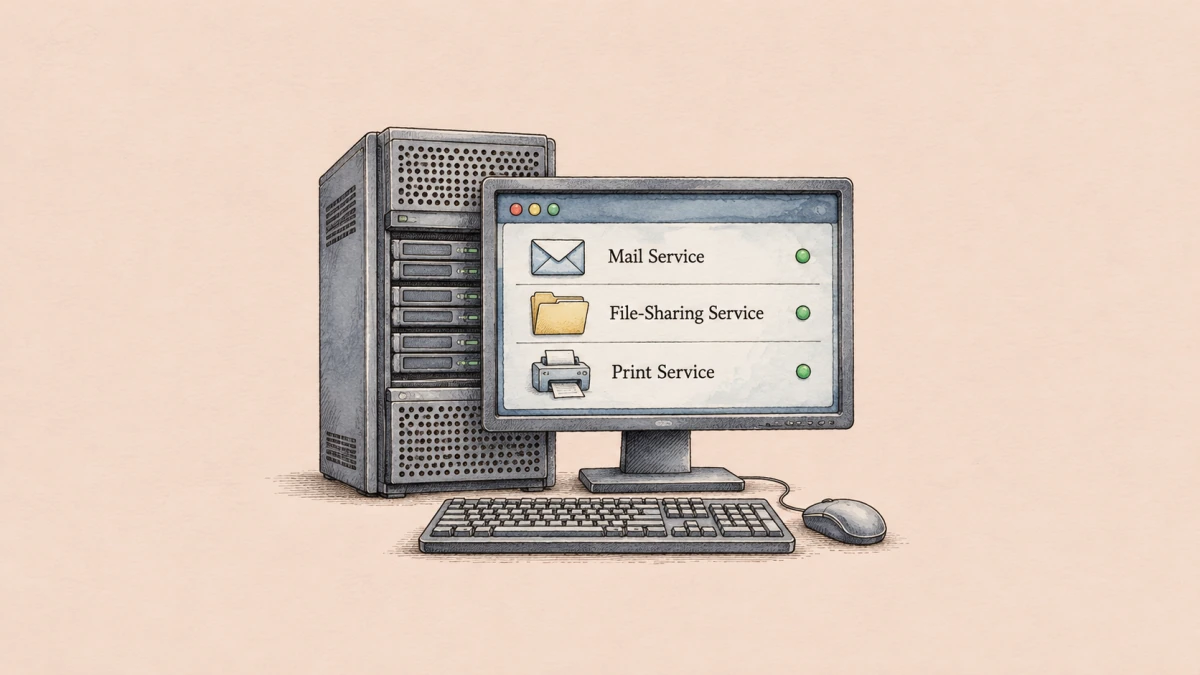
A computer can ask another machine to find a website's address, check a sign-in or send a file. Those are different requests for different jobs. Network services make those jobs available to other devices, whether they sit in the same office or communicate over the internet.
The service is the useful function being offered. The server supplies it, and a client requests it. A protocol defines the communication rules they follow so each side can understand the other.
These words describe roles, rather than a requirement to buy a separate physical computer for every task. One machine can supply several services. A network service also doesn't have to be a public website, a cloud subscription or something sold by an internet provider.
What Do Port Numbers Actually Do?
Asking for a file
Suppose an employee opens a document stored on a company file server. The employee's computer acts as the client, asking the file service for the document.
Software on the server receives the request and handles it according to the service's rules. The network carries the request and response; the service performs the job of providing access to the file.
That distinction helps explain why being connected is only part of the story. The computer needs a path to the server, the file service must be available, and the request must be allowed.
A server may recognize the employee through authentication, a check of the identity claimed by the account. Access rules then determine which files the employee can read or change. A successful connection doesn't give the employee permission to open every document.

- Start tonight: the board, case, power supply and memory card are all in the box.
- Run a home lab, an ad blocker or a practice server on one small computer.
- Learn Linux hands-on without risking your main machine.
Printing follows the same broad client-and-service idea. Several computers can request work from a shared printing service, while its access rules decide whose jobs it accepts. Sharing a resource doesn't require making it available to every connected user.
Some services make other services possible
Before a laptop can make those requests, it needs suitable network settings. On an Internet Protocol version 4, or IPv4, network, Dynamic Host Configuration Protocol, or DHCP, can supply configuration and allocate an address.
The laptop asks a DHCP server for settings. With dynamic allocation, the address is provided for a limited period called a lease. Dynamic allocation is one of several methods defined in the DHCP specification. A device doesn't need a fresh address for each connection it makes.
DHCP's service is configuration. It doesn't deliver the internet or serve the document the employee wants.
What Happens When You Type a Web Address?
Another supporting service is the Domain Name System, or DNS. It lets software ask for information associated with a name, including the address of a host. It also provides other record types, such as information used in mail delivery.
DNS spreads that information across a distributed system of servers. Results can be kept temporarily in a cache, so a later request may reuse a recent answer. The DNS architecture specification explains this lookup system.
For a web visit, obtaining an address lets the browser contact a web server. The browser uses Hypertext Transfer Protocol, or HTTP, the web's request-and-response protocol, to ask for content. DNS supplied information needed to find the service; the web service supplies the page.

- Run a test server or a home lab without giving up desk space.
- Start right away with 16GB of memory and a 500GB SSD already inside.
- Drive two 4K screens when it doubles as an everyday desktop.
One successful job doesn't settle the next
These separate jobs explain some apparently contradictory failures. In a hypothetical office, a laptop might have valid network settings but be unable to look up a name. Or the name lookup might work while the requested server is unavailable.
Neither situation means that every part of the network has stopped. It means that the task depends on several services, and one of them hasn't supplied what the next stage needs.
The same separation helps defenders decide what to maintain. Each service needs an intended purpose, defined users and suitable access rules. Required services need updates and useful logs so administrators can understand their operation and investigate problems.
The National Institute of Standards and Technology's general server-security guide recommends removing or disabling unnecessary services. A forgotten file-sharing function still creates something to manage and protect, even if nobody remembers using it.
Network Ports: How Numbers Sort Traffic Between Programs
Sockets: How a Program Gets a Way to Communicate
What Is a Daemon? The Programs Working Behind Your Apps
QUOTE:
"Amateurs hack systems, professionals hack people."