Least Privilege: Give Each Account the Power Its Work Needs

A program that reads a set of records doesn't need the power to delete them. Giving it both permissions may seem convenient during setup, but the extra power becomes available to mistakes and attackers as well as to the program's intended work.
Least privilege means giving a person, program or component the access needed for its assigned task, without unnecessary authority. The National Institute of Standards and Technology (NIST) applies the principle to automated processes as well as human users in its definitions of least privilege.
The word “least” still leaves room to get the job done. Access has to fit the action, the resource and the period for which it is needed.
Why Should an Account Get Only What It Needs?
Start with what the account must do
Suppose a reporting service reads a particular dataset to produce a report. Like a person, the program uses an account with permissions to do its work. It needs to read those records. Changing them, deleting them or creating new user accounts would require other powers.
If the account lacks deletion permission, a request made through it cannot delete the dataset when the access rules are correctly enforced. A bug or attacker misusing the account has fewer permitted actions available.
Read access still carries risk. Someone misusing the account could expose the information it was legitimately allowed to read. Least privilege narrows the possible damage; it doesn't make the necessary permissions harmless.
Amazon Web Services expresses permissions in terms of actions, resources and conditions in its identity and access-management guidance. For the reporting service, that means specifying which records it may read and under what circumstances.
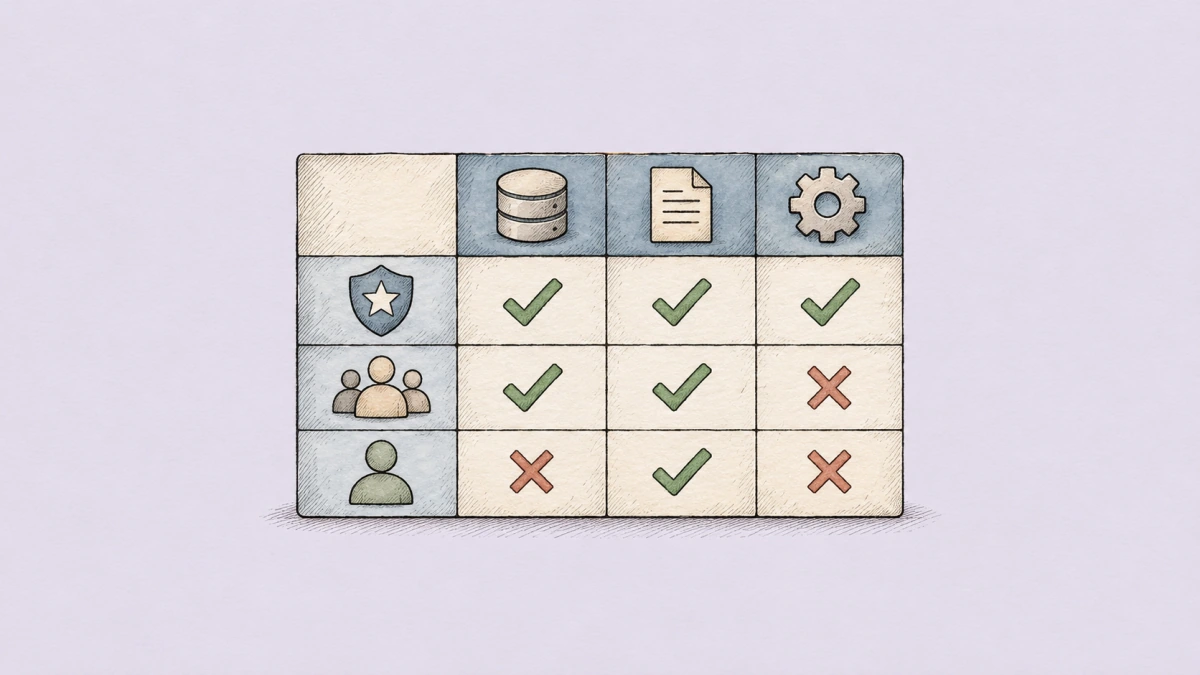
A role name such as “reporting” doesn't settle those details. Role-based access control groups permissions for a job, but the group can still contain more than that job needs.
These are authorization decisions: what an account may do. Authentication checks its identity. A successful sign-in doesn't make every requested action appropriate.
Let extra access end with the task
People who maintain systems sometimes need more authority than their daily work requires. An administrator can use an ordinary account for everyday tasks and elevated access for work that needs greater powers.

- Keep every photo and file on a box you own, and reach them from anywhere.
- Let backups run on their own so one dead laptop doesn't take your files with it.
- Add two drives and a failed disk no longer means lost files.
Elevation means using greater privileges. Microsoft Entra Privileged Identity Management, for example, supports time-limited activation of privileged roles, with options such as approval and additional identity checks. The extra access can expire when its allotted time runs out.
A time limit helps with duration. It still needs a suitable scope. Ten minutes of access to every database can be excessive for a task involving one database.
The reporting service needs the same attention as work changes. If its assignment ends, the original reason for its access may end too. If it moves to another dataset, the old permission shouldn't remain merely because the new one was added.
NIST's least-privilege control calls for reviewing whether privileges remain necessary and changing or removing them when appropriate.
An unused permission deserves a closer look before removal. A quarterly report may leave its account quiet for weeks, and a recovery task may need access only when something fails. Testing a proposed reduction helps avoid breaking work the account is still responsible for doing.
Role-Based Access Control: One Role, Many Accounts
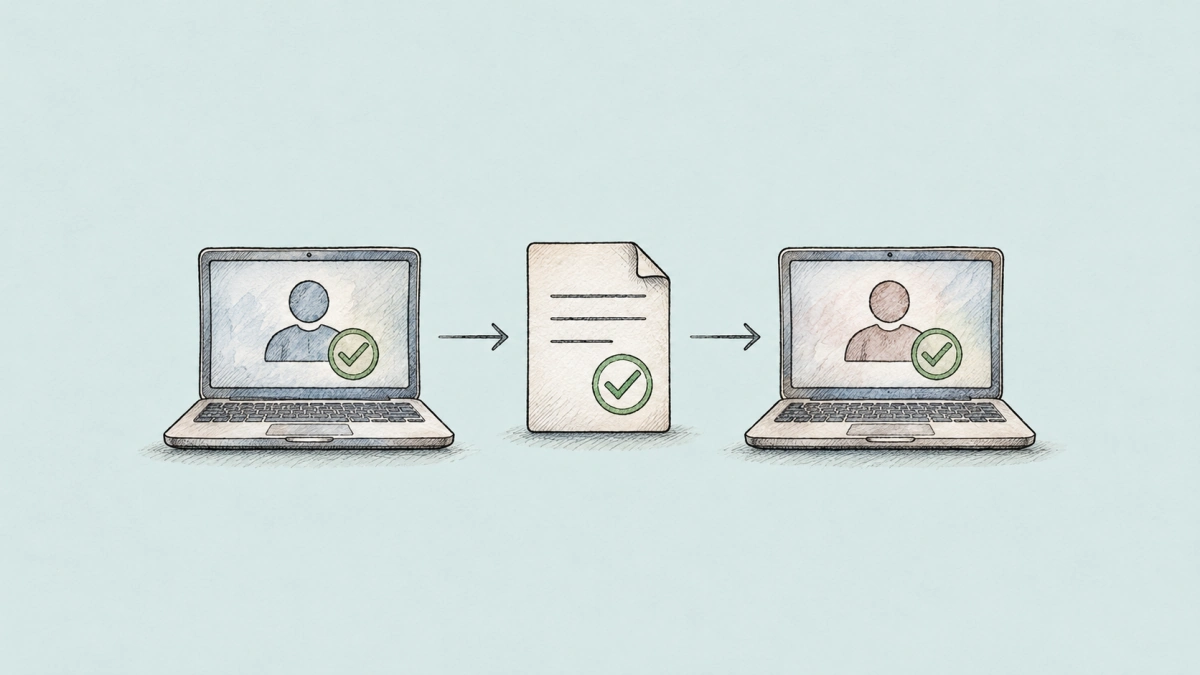
Separation of Duties: Who Checks the Person With Access?
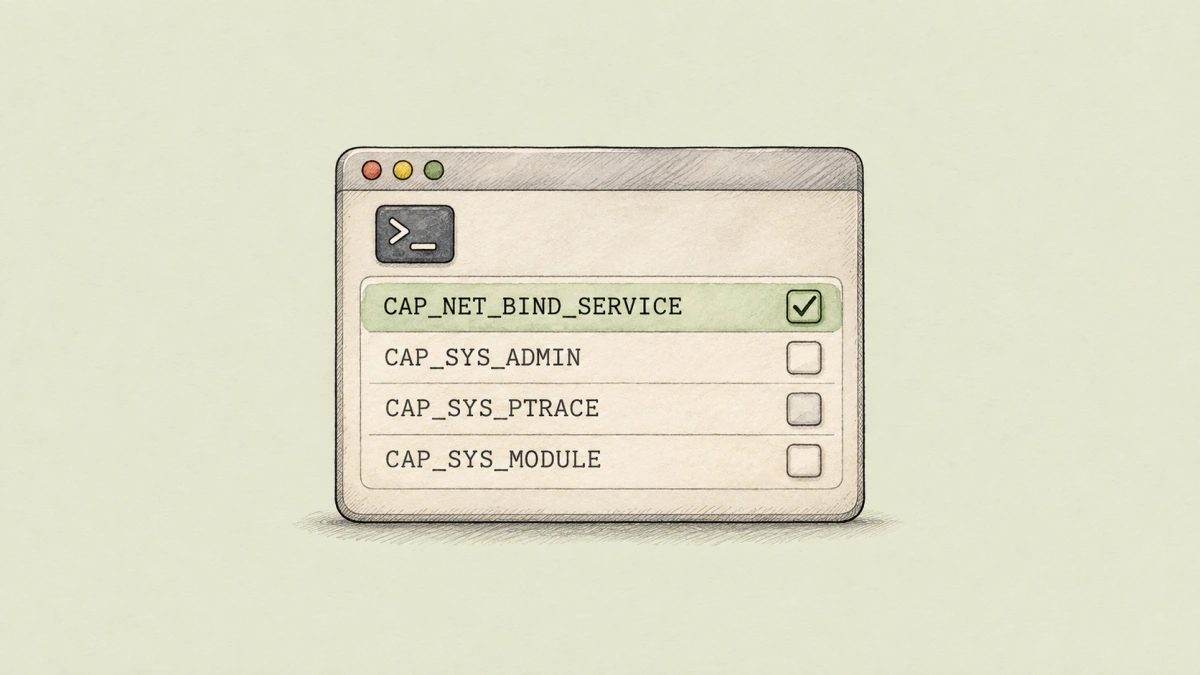
Linux Kernel Capabilities: Which Powers Does a Program Need?
QUOTE:
"Amateurs hack systems, professionals hack people."