Decapsulation: How a Computer Unpacks a Network Message
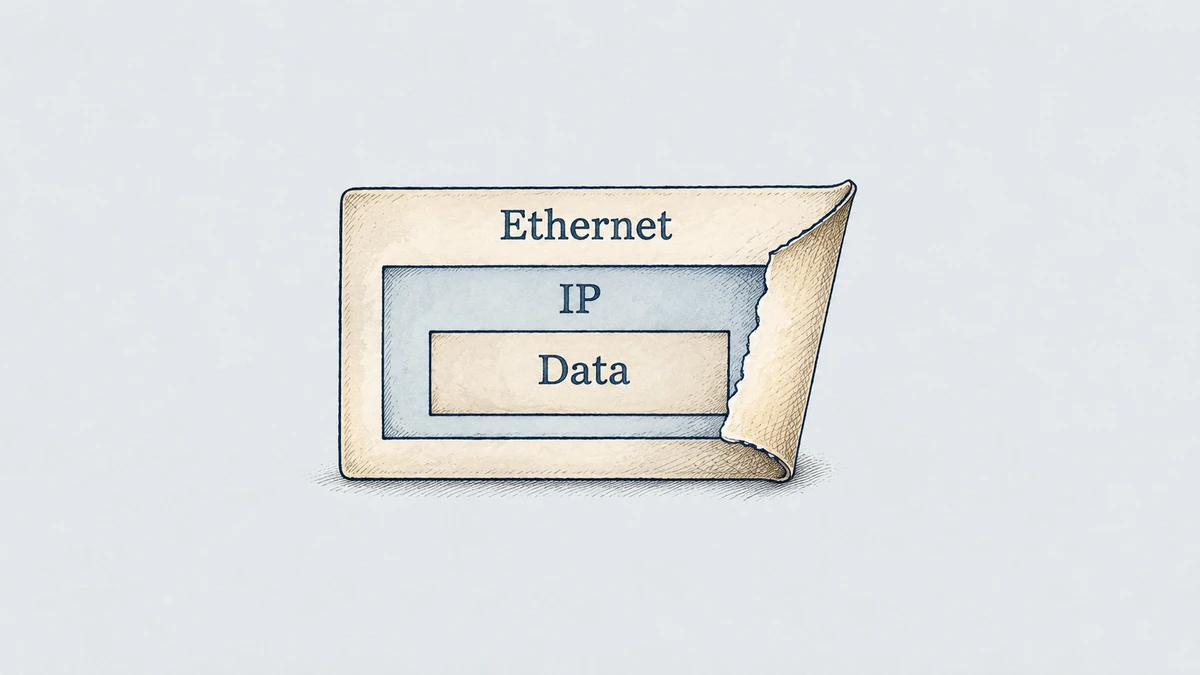
Decapsulation is the receiving side of network packaging. A device processes and removes a protocol's outer control information so the contents can pass to the next layer.
The sender performs the reverse operation, called encapsulation. A protocol is a set of communication rules, and each layer handles a different part of delivery.
Follow one temperature reading
A weather sensor sends a reading to a monitoring computer. For this example, it uses UDP over IP, and the message reaches the computer over Ethernet, a common wired-network technology.
UDP, the User Datagram Protocol, carries messages between applications. IP, the Internet Protocol, handles delivery between networks.
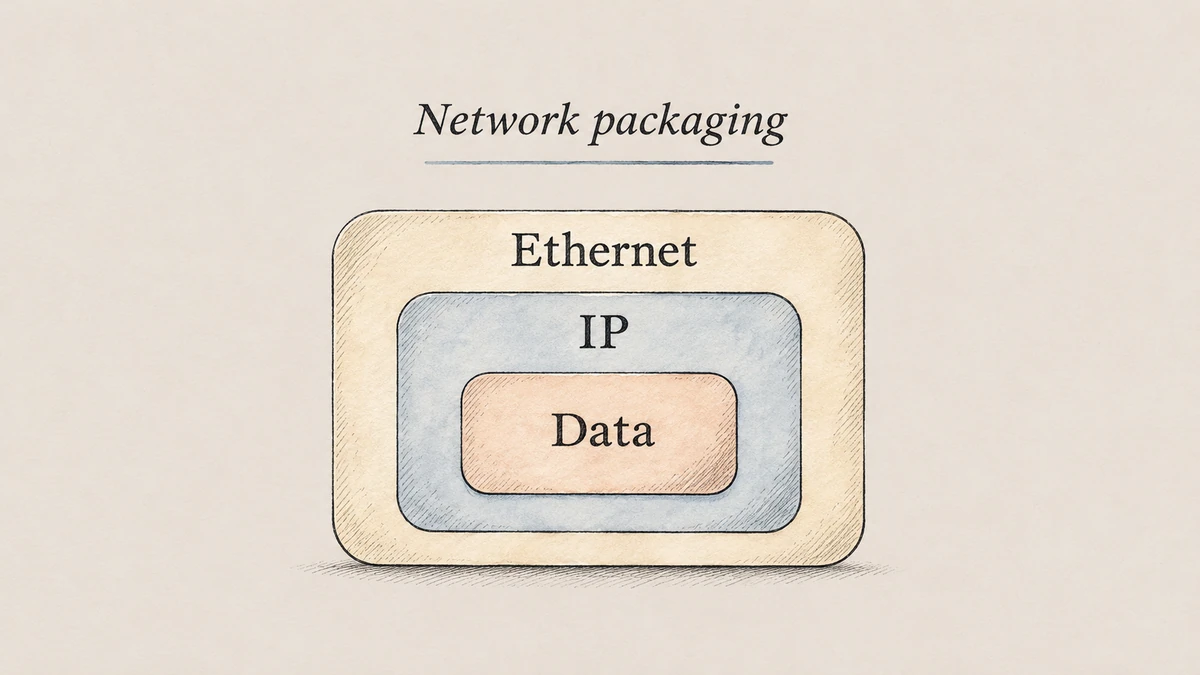
The sensor's reading sits inside a UDP datagram, which sits inside an IP packet, which sits inside an Ethernet frame. Datagram, packet, and frame are names for the units of data handled at these different layers.
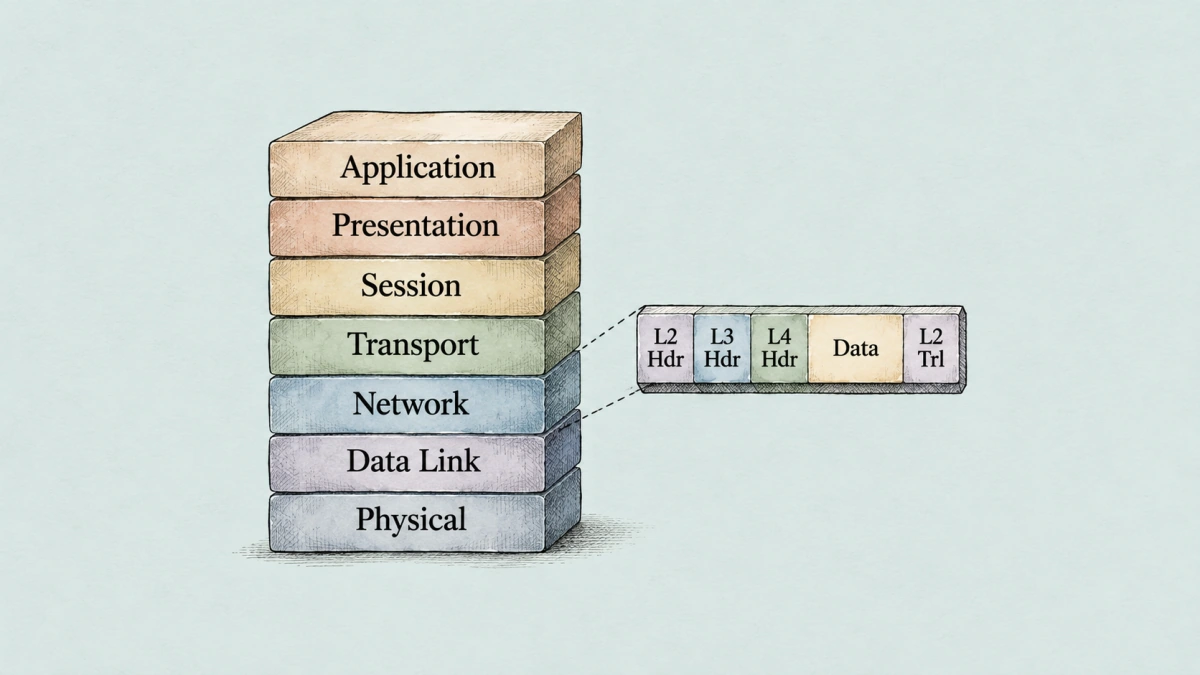
As Cisco's explanation of protocol stacks describes, each lower layer treats the upper layer's message as its own data. It adds a header at the beginning, and sometimes a trailer at the end, containing information needed for that layer's job.
The Seven Layers Behind Every Network Message
At the receiving computer, the layers are processed in the opposite order:
| Layer being processed | What happens to this message |
|---|---|
| Ethernet | The frame is checked, and its contents are passed to IP processing. |
| IP | The packet's addressing and protocol information are processed, and its contents are passed to UDP. |
| UDP | Port and length information help deliver the message to the receiving application. |
| Application | The monitoring program interprets the temperature reading. |
The payload is whatever a layer carries inside its wrapper. At the IP layer, that includes the UDP header as well as the temperature data; at the UDP layer, the payload is the application message.
Payload doesn't always mean the final information a person wants to read.
The headers do work before they're removed
Decapsulation isn't blindly throwing away everything in front of the useful part. The receiver has to interpret the fields, check the message, and decide where its contents belong.
For UDP, a port is a number that helps identify the receiving network service. The UDP specification also provides for passing source-address and source-port information to the application, so removing a header doesn't mean discarding everything learned from it.
Some received data is rejected rather than passed upward. For example, the internet host requirements say an IPv4 packet with an incorrect header checksum must be discarded.
A checksum is a calculated value used to detect certain errors. It doesn't automatically repair damaged data or prove that the sender is trustworthy.
The network interface and the operating system's networking software typically share this work. A browser doesn't personally peel every Ethernet and IP header off the wire.

- Keep work, guest and smart-home gear apart with up to 32 VLANs on one small switch.
- Copy any port's traffic to your laptop with port mirroring and see what is on the wire.
- Set it up from a web page instead of learning a command line.
A router doesn't need to uncover the whole message
A router forwarding a packet normally processes the incoming link's frame, examines the IP information, and sends the packet onward in a suitable outgoing frame. It doesn't need to deliver the contents to a local application just to move them toward their destination.
Tunnels add another case. A network tunnel carries one packet inside another so it can travel between the tunnel's endpoints.
In IP-in-IP tunneling, the exit removes the outer IP header, revealing an inner IP packet that can continue to its destination. Decapsulation here exposes another packet, not necessarily the final application data.
Removing a wrapper isn't decrypting a secret
Decryption reverses encryption, the scrambling used to keep information private, using the appropriate key. Decapsulation deals with protocol packaging; the two jobs can occur together, but they aren't interchangeable.
After a network wrapper is removed, its payload may still be encrypted. To understand what's visible at a particular point, identify which wrapper has been processed and what remains inside it.
Encapsulation: Why It Means Different Things in Code and Networks
Headers: The Hidden Instructions Traveling With Your Data

Protocol Stacks and OSI: How Network Jobs Fit Together
QUOTE:
"Amateurs hack systems, professionals hack people."