The Seven OSI Layers: How Programs Reach One Another
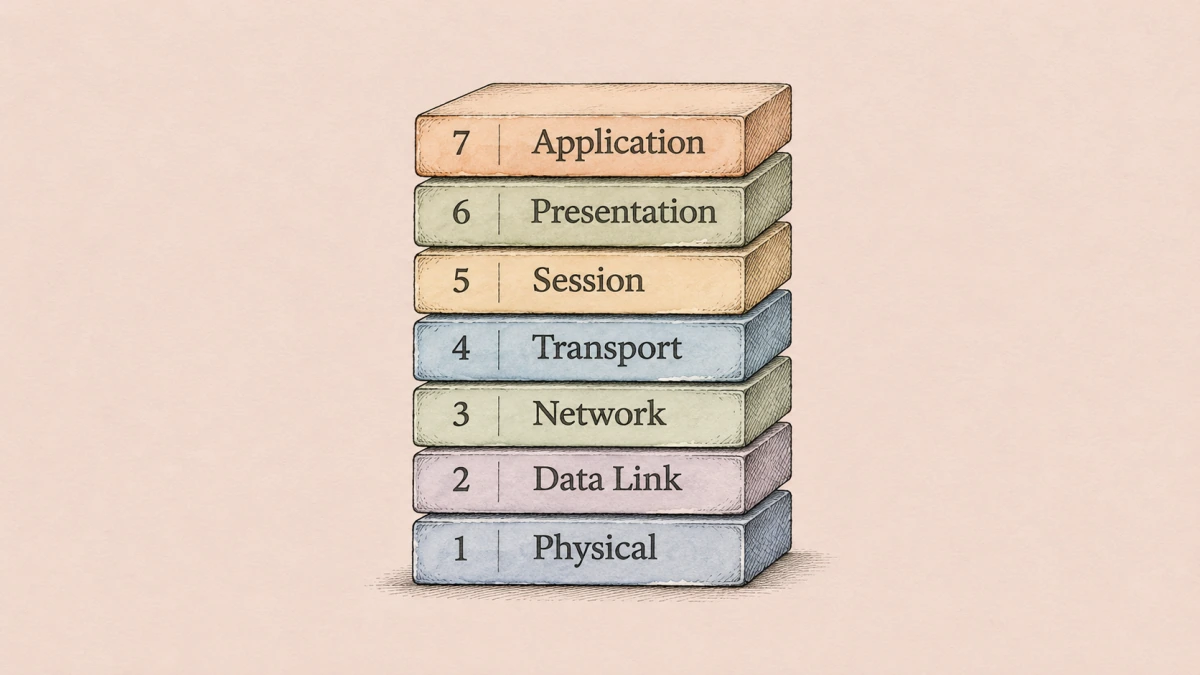
A request for a web page begins as information a program understands. To leave the computer, it must become signals another device can receive. Between those two points are several different jobs. The seven OSI layers give those jobs names.
OSI stands for Open Systems Interconnection. Its layers are a reference model: a way to organize communication work. The numbers run from Layer 1, which carries signals, to Layer 7, where programs use the network.
Following a request in the other direction, from a program toward the connection, shows why those jobs are separate.
The Seven Layers Behind Every Network Message
Getting Two Programs to Understand Each Other
Layer 7, Application, provides the communication functions programs use. A browser needs rules for asking a website for a page. HTTP, or Hypertext Transfer Protocol, supplies rules for web requests and responses. The browser's buttons and bookmarks have other jobs; the whole browser doesn't belong in Layer 7.
The programs also need to agree on the form of the information they exchange. That's the concern of Layer 6, Presentation. Getting bytes to another computer is little help if the receiving program can't interpret them.
Layer 5, Session, coordinates the conversation. Its functions include synchronization: keeping the participants in step during an exchange. In the model, describing the information and coordinating the conversation are separate responsibilities.
Real internet software may combine work that these three layers describe separately. The diagram doesn't require three separate programs.
Crossing Networks and Reaching the Other End
Layer 4, Transport, concerns data transfer between the sending and receiving systems. Layer 3, Network, handles movement across the networks between them, including routing: deciding where to pass data next.
A router makes that second job visible. It receives a packet, a small unit of network data, and forwards it toward its destination. Several such steps may be needed to reach the receiving computer. Transport describes the transfer between the ends; the Network layer describes the work of crossing the networks along the way.
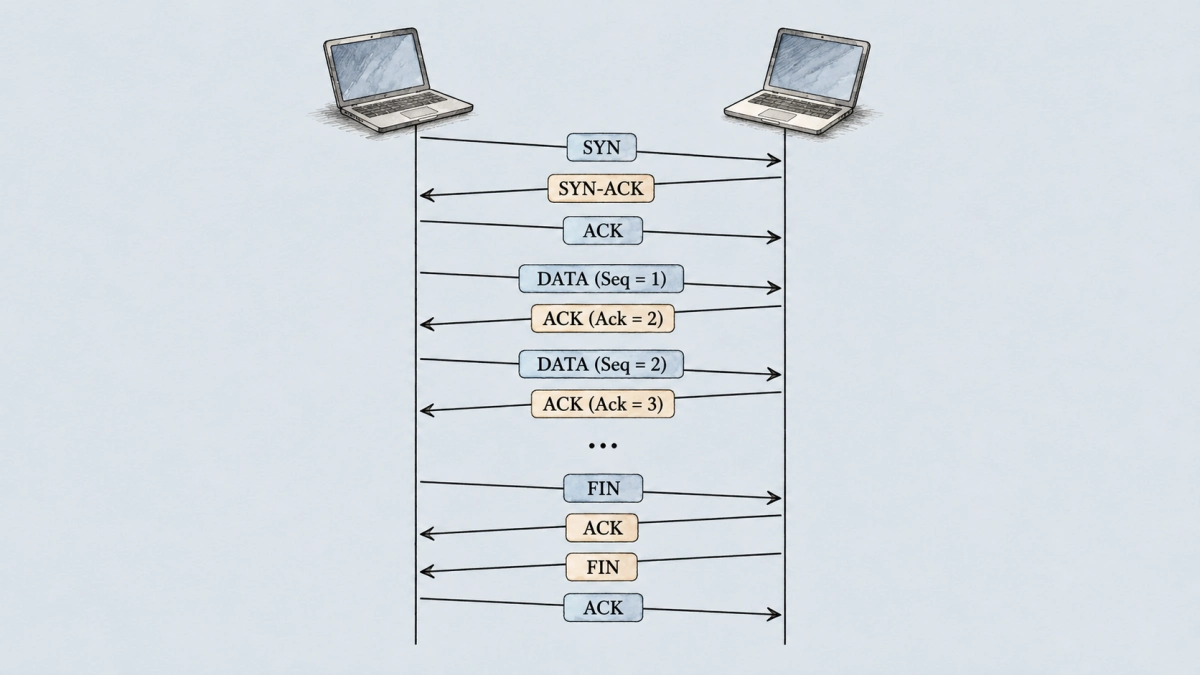
The transport protocol supplies the details of that service. A protocol is a set of communication rules. Transmission Control Protocol, or TCP, provides ordered, reliable transfer. User Datagram Protocol, or UDP, doesn't itself guarantee delivery or protection against duplicate messages. Both fit Layer 4, with different rules.
- Give a desktop, console or TV a steadier connection than Wi-Fi.
- Tell your cables apart at a glance with five different colors.
- Stay ready for faster internet with support for speeds up to 10 Gbps.
Making the Next Connection
Before a packet can cross several networks, it has to travel over a link. Layer 2, Data Link, organizes that transfer and handles detection of transmission errors; some link methods can also correct errors.
Layer 1, Physical, carries the bits, the 0s and 1s of digital information, as signals through physical connections. At the receiving end, those signals must become data the next layer can use. Eventually, at the destination, the receiving program can interpret the request.
A router needs these lower-layer functions to receive and send data, too. Calling it a Layer 3 device describes its routing job. It still needs a way to get the bits in and out.
Reading the Diagram Without Being Ruled by It
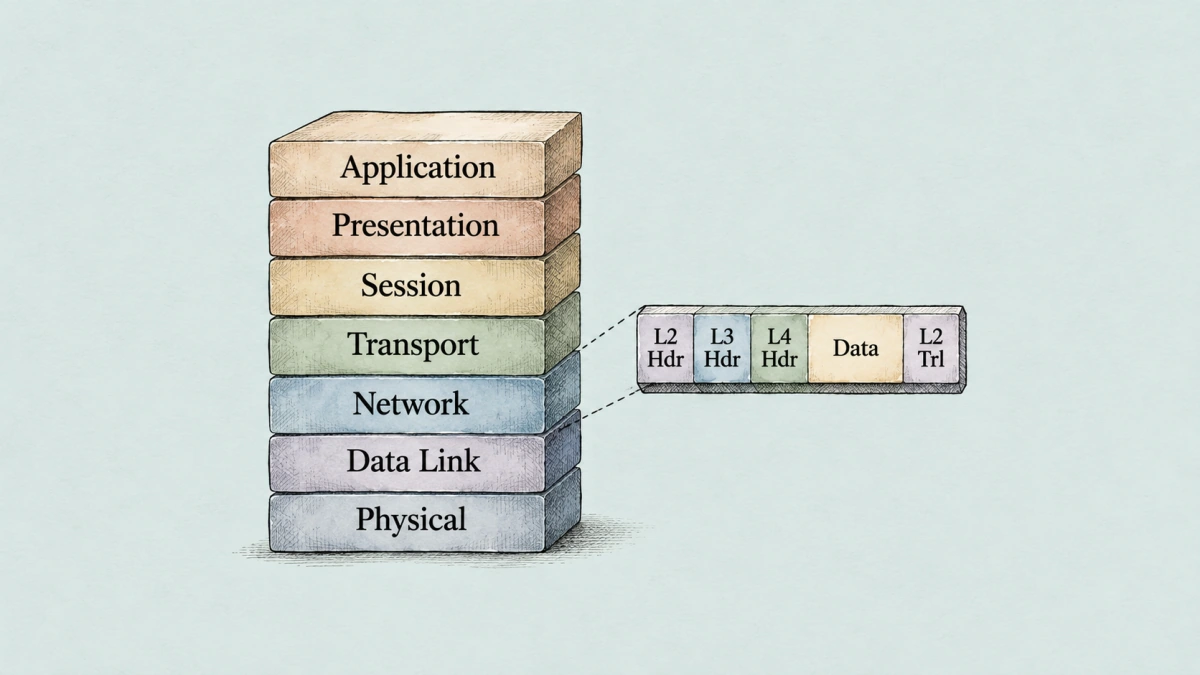
The official OSI reference model defines these seven categories. The internet's own protocol stack, the cooperating protocols that do the work, groups communication into four layers: application, transport, Internet and link.
Security also crosses the diagram's boundaries. Encryption scrambles data so it can be read with the appropriate key. It isn't confined to the Presentation layer: Internet Protocol Security, or IPsec, can encrypt data at the IP layer, where communication crosses networks.
Protocol Stacks and OSI: How Network Jobs Fit Together
Ethernet Explained: What the Cable Does—and Doesn’t Do
TCP: Putting the Missing Bytes Back in Order
QUOTE:
"Amateurs hack systems, professionals hack people."