CVSS Scores Explained: How Severe Is a Security Flaw?
A security notice stamped “Critical” deserves attention. It still leaves a practical question unanswered: what does this flaw mean for the computers you actually use?
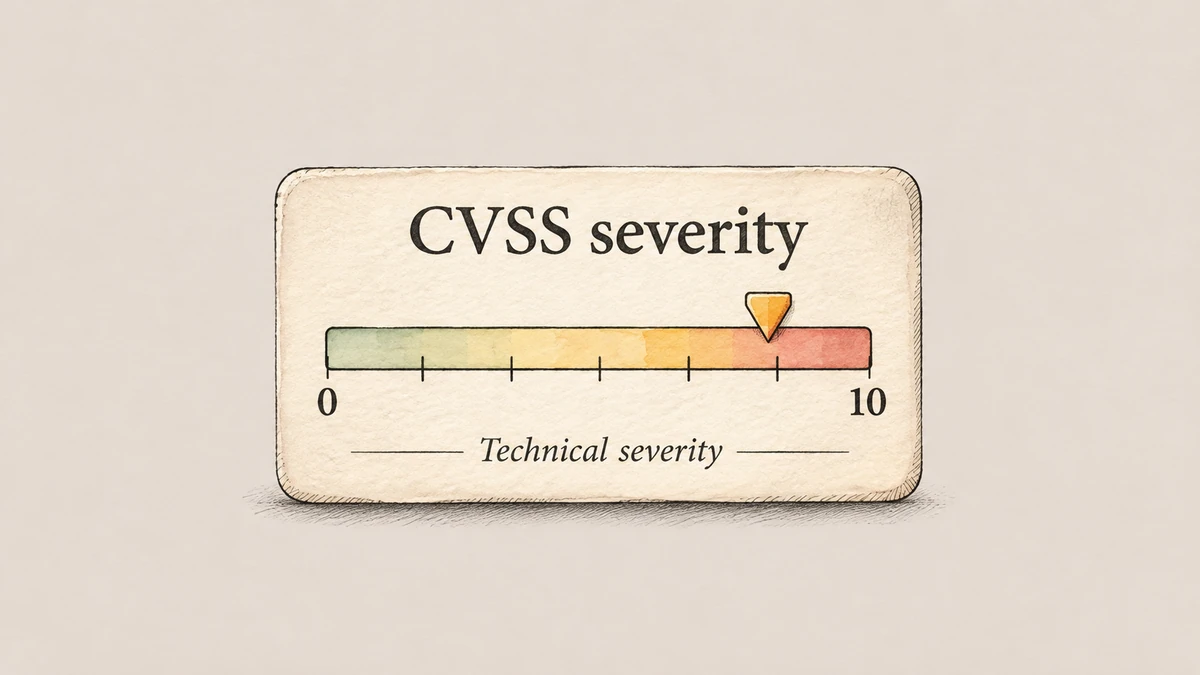
CVSS, the Common Vulnerability Scoring System, is a standard for describing the technical severity of a security weakness. Its scores run from 0 to 10, with higher numbers indicating greater severity.
A vulnerability is a weakness that could allow harm. An exploit is a way to take advantage of that weakness. CVSS considers the conditions needed to exploit a flaw and the damage that could follow.
That gives people a common language for discussing a problem. It doesn't give every organization the same repair schedule.
How Researchers Go Looking for Weak Spots
Read the Number With Its Label
The severity bands in the CVSS v4.0 specification are:
| Score | Severity |
|---|---|
| 0.0 | None |
| 0.1–3.9 | Low |
| 4.0–6.9 | Medium |
| 7.0–8.9 | High |
| 9.0–10.0 | Critical |
A score of 7.5 therefore falls in the High band. It isn't Critical. These are defined categories, not interchangeable words for something alarming.
Nor is the number a percentage. A score of 9.0 doesn't mean there's a 90 percent chance of an attack. A 10 doesn't mean every affected machine has already been broken into.
Security notices may also show a CVE identifier, a reference assigned to a particular publicly disclosed vulnerability. The CVE Program explains that these identifiers let different people refer to the same issue. CVE identifies the flaw; CVSS describes its severity. One isn't a substitute for the other.
What the Scorer Needs to Know
Before there can be a useful number, someone has to describe the attack.
Can the attacker reach the flaw over the internet, or do they need physical access to the machine? Do they have to sign in first? Does another person need to open something or take some other action? Are particular conditions required before the attack can work?
Those answers help describe how exploitation could happen. The scorer also considers its possible effects:
- Confidentiality: Could someone read information they shouldn't see?
- Integrity: Could they change information without permission?
- Availability: Could they prevent people from using the system?
In version 4, scorers consider effects on the vulnerable system and on other systems that may be affected. That matters when using a flaw in one place can cause harm somewhere else.
The choices behind a score are recorded in a vector, a compact string of letters and values that also identifies the CVSS version. You don't have to memorize the codes to read a security notice. Knowing the vector exists helps you find the reasoning behind the headline number.
When two sources report different scores for the same flaw, check their versions and assumptions. They may be working with different information or judging an attack condition differently. A decimal point doesn't remove that judgment.

- Run a test server or a home lab without giving up desk space.
- Start right away with 16GB of memory and a 500GB SSD already inside.
- Drive two 4K screens when it doubles as an everyday desktop.
Version 4 Adds Context in Specific Ways
CVSS v4.0 uses four groups of measures, called metrics:
- Base describes the flaw's underlying technical features: how it can be exploited and what harm it could cause.
- Threat reflects what is known about exploitation, such as whether an attack has been demonstrated or the flaw has been used in attacks.
- Environmental adjusts the assessment for a particular setting, including local conditions and the importance of the affected information and systems.
- Supplemental records additional context, such as safety and recovery information. It doesn't change the numerical score.
These aren't four numbers to add together. Version 4 calculates a resulting score from the applicable values. Its score labels indicate which of the Base, Threat and Environmental groups were explicitly assessed. FIRST, the organization that maintains CVSS, explains this distinction in its version 4 FAQ.
How Do You Know Which Flaws to Patch First?
When reading a report, look for both the version and the score type. Is it a Base score alone? Does it also include Threat or Environmental information? A number copied without those details loses useful context.
Older reports may use CVSS v3.1. That version has Base, Temporal and Environmental groups. Its Temporal group considers changing information such as available exploit code, fixes and confidence in the report. Don't apply the version 4 group names to every score you encounter.
Releasing a patch, a software fix, doesn't itself change the flaw's Base characteristics. The patch fixes affected software; it doesn't change what the flaw could do in an unpatched copy. New information about the flaw can, however, lead a scorer to revise the assessment.
- Start tonight: the board, case, power supply and memory card are all in the box.
- Run a home lab, an ad blocker or a practice server on one small computer.
- Learn Linux hands-on without risking your main machine.
The Highest Number May Not Be the First Repair
Imagine a company comparing two vulnerabilities. The higher-scored flaw affects a disconnected test computer. The lower-scored flaw affects its public booking service, and attackers are known to be using that weakness.
The booking service could deserve attention first. It's reachable, it supports current business and there's evidence of attacks. The test computer still needs a plan before someone puts it back into use.
This is the difference between severity and cybersecurity risk: the likelihood of harm and its consequences in a particular situation. CVSS supplies information for that decision, but it doesn't know how much money a canceled booking costs or which customers depend on the service.
Evidence of exploitation deserves its own check. The U.S. Cybersecurity and Infrastructure Security Agency, or CISA, maintains a catalog of Known Exploited Vulnerabilities—flaws known to have been used in attacks. Its official catalog repository is one source for that information. A listing can add urgency; absence from a list isn't a safety guarantee.
Start with the software notice: does it cover the product, version and features you're using? Then check who can reach the affected system, what an attacker could do and which safeguards are already in place. Use those answers alongside the score to decide the response.
For the company with the booking service, the job ends when the responsible person has dealt with the affected system and checked the result. A severity number helps explain the problem. Someone still has to make the repair.
What Is a CVE? How to Read a Security Flaw’s ID
Vulnerability Management: Getting From a Finding to a Verified Fix
What a Cybersecurity Risk Assessment Should Tell You
QUOTE:
"Amateurs hack systems, professionals hack people."