TLS Protects the Connection. The Destination Still Gets the Data.
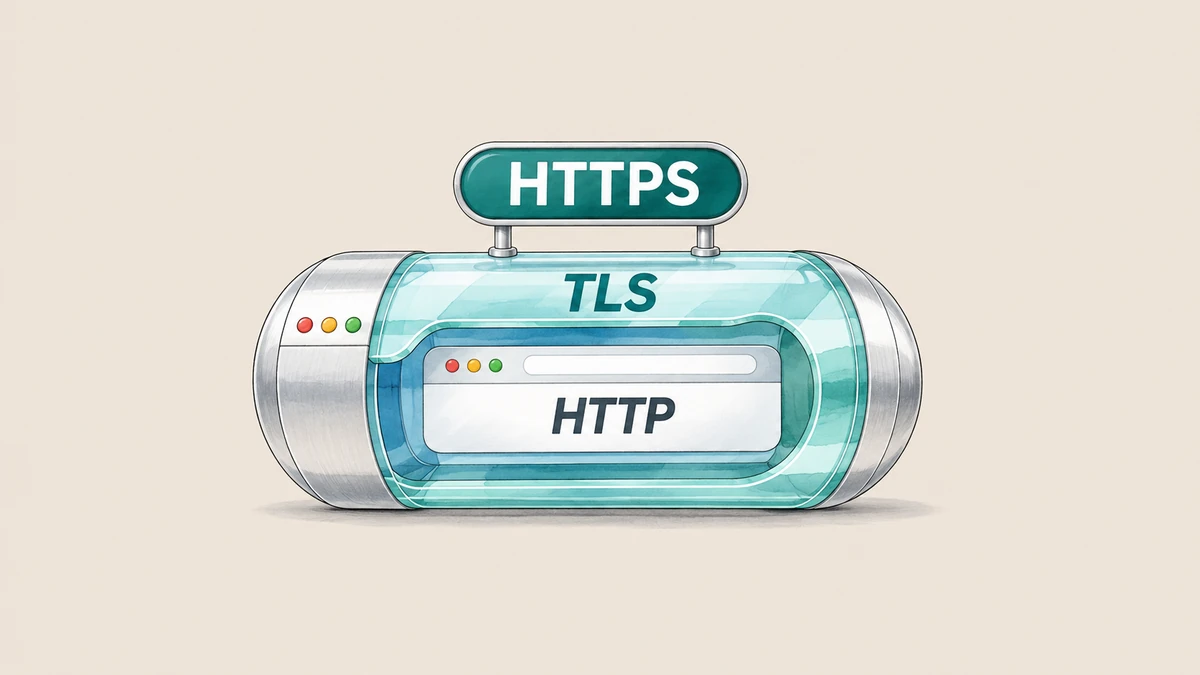
TLS, short for Transport Layer Security, is a set of rules for protecting communication between applications. It helps them check who they're communicating with and exchange data that someone along the route can't readily read or alter without detection.
HTTPS is web communication protected using TLS. Your browser and the service receiving the connection are its endpoints, the two ends where the protected exchange begins and ends.
Suppose you enter a delivery address at an online shop. TLS protects that address as it travels over the connection. The shop's receiving system can still read it. It needs the address to deliver the order.
HTTP, HTTPS, SSL, TLS: Untangle the Alphabet Soup
Before the address leaves your browser
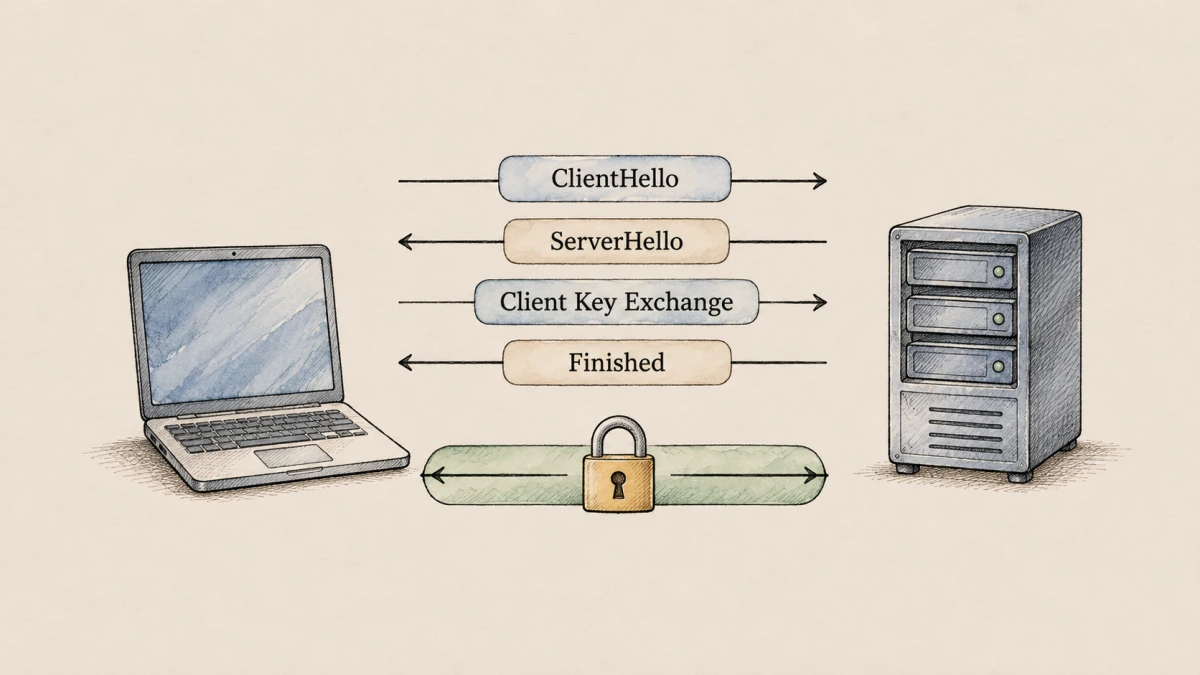
The browser and server first carry out a handshake, an opening exchange in which they agree on security settings and establish the secret keys used to protect their communication.
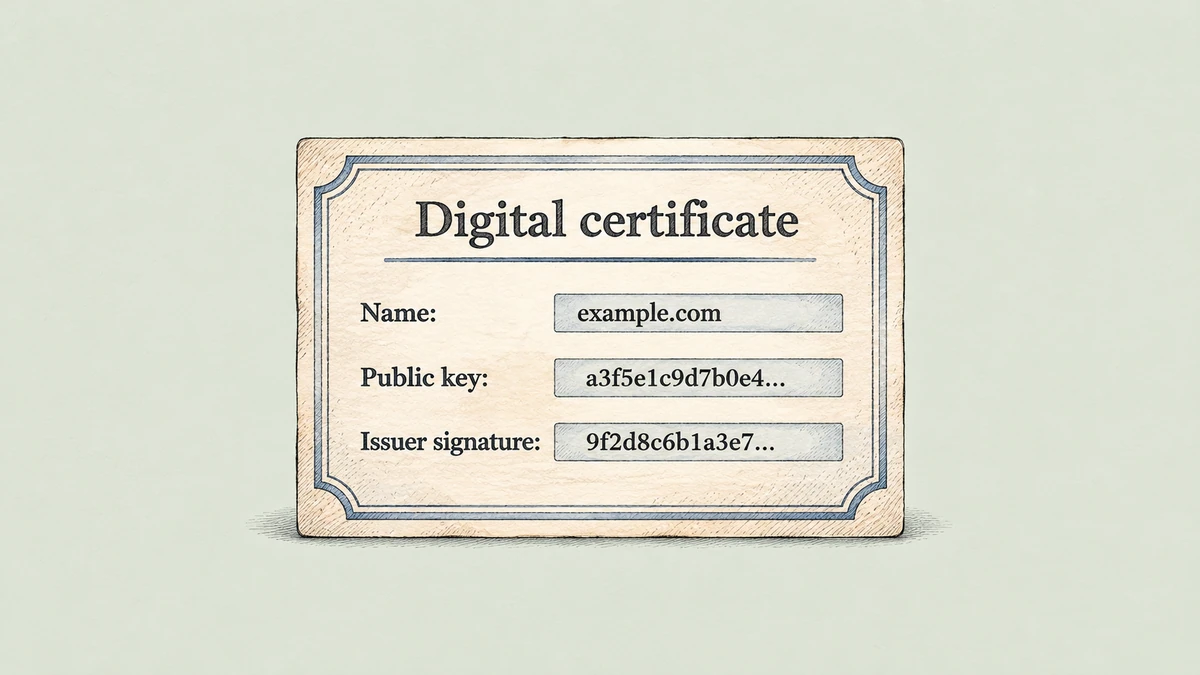
In a typical web connection, the server presents a digital certificate. This signed electronic record helps the browser check the identity associated with the server's public key. A public key is a shareable mathematical value paired with a secret private key. The server provides mathematical proof that it holds that private key.
The certificate doesn't encrypt each delivery address. It plays an identity-checking role in the exchange. The connection's agreed keys are used to protect the application data that follows.
The TLS 1.3 specification describes three central protections: authentication, confidentiality and integrity. In everyday terms, those mean checking identity, preventing outsiders from reading the contents and detecting unauthorized changes to protected data.
Encryption transforms readable information into a form that requires the appropriate key to read. TLS combines it with checks against alteration. Its protection doesn't conceal everything about the exchange; for example, TLS doesn't hide the length of the data it carries.
A private journey to a dishonest shop
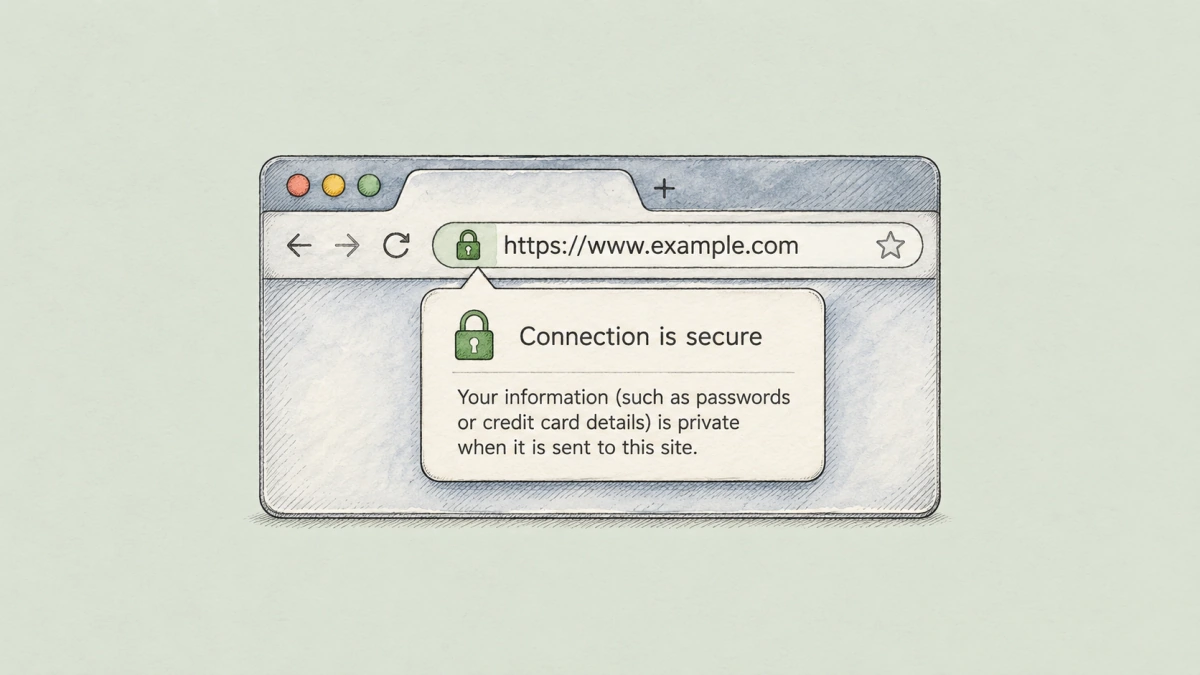
Now suppose the shop is deceptive. It can still operate a website with HTTPS. The browser may establish a protected connection to the address you visited, while the business at that address has no intention of sending your purchase.
TLS hasn't inspected the goods or checked the seller's promises. It has protected the communication to that destination. Once the destination receives the address or message, its handling of that information is a separate matter.
That distinction was behind the Chromium project's 2023 explanation of its move away from the lock icon: readers were mistaking a connection indicator for a judgment that a website was trustworthy. An encrypted connection doesn't certify a merchant's honesty.

- Make a stolen password useless without the key in your hand.
- Sign in with a tap instead of typing a code.
- Protect Google, Microsoft, Apple and more than 1,000 other accounts.
The same boundary matters beyond the web
Email can cross several server connections. TLS may protect one of those connections, with the receiving server able to read the message at its endpoint. That differs from protecting the message so that only its intended final recipient can read it. The email STARTTLS specification, which describes adding TLS to an email transport connection, makes that limited scope clear.
Version and configuration matter too. SSL, or Secure Sockets Layer, preceded TLS; its name isn't a guarantee of suitable protection. The 2022 TLS deployment recommendations prohibit negotiating SSL and the older TLS 1.0 and 1.1 versions, while recommending support for and preference for TLS 1.3.
HTTPS: A Secure Connection Can Still Lead to a Scam
Digital Certificates: What Your Browser Can Actually Verify
TLS vs. HTTPS
QUOTE:
"Amateurs hack systems, professionals hack people."