Port Scan: Reading Open, Closed and Filtered
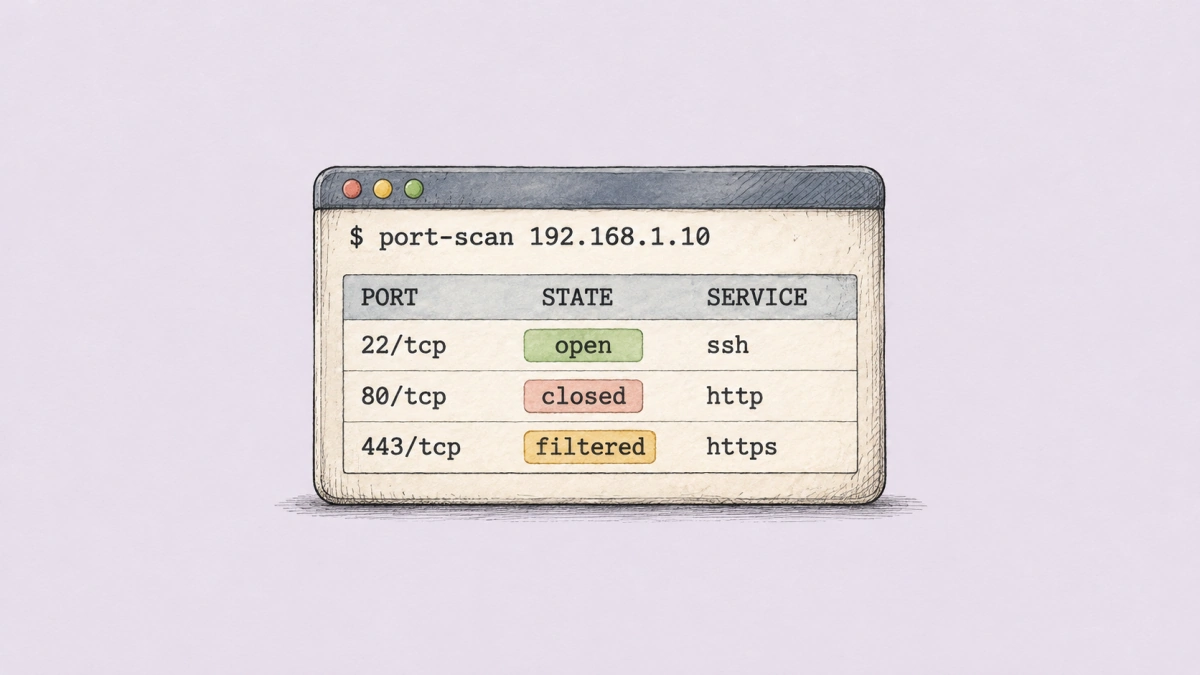
A network port is a numbered place where a program can send or receive traffic. An imagined scan of three ports might report one open, one closed and one filtered. Each label describes what the scanner could learn from its test.
A port scan sends probes, or test messages, to selected ports and interprets the responses or lack of responses. It helps reveal where a device appears to accept network communication from the scanner's position.
Consider these illustrative results using the terms defined by Nmap, a network-scanning tool:
| Result | What the observation means |
|---|---|
| Open | A service is accepting the type of communication being tested. |
| Closed | The port is reachable, but no application is listening there. |
| Filtered | Filtering prevents the scanner from deciding whether the port is open. |
Nmap's port-scanning reference explains these states. A listening application is one waiting to receive network traffic at a port.
A closed port and a filtered port tell different stories. The closed result provides evidence that the port was reached and no service was listening. The filtered result leaves the service's state unresolved. Treating both as “nothing is there” discards that distinction.
A scan examines a selected set of ports. If a port isn't listed in a report, that doesn't establish that it was tested and found closed.
Learn Nmap in Seven Minutes
Move the scanner, change the result
Suppose a file service is intended for employees inside an office network. A scanner inside that network may find its port open. A scanner outside may find it filtered because a firewall blocks the relevant probes.
The application hasn't necessarily changed between those observations. The path to it has. Nmap's documentation uses this kind of inside-versus-outside distinction to explain why a port's reported state belongs to the scan, not permanently to the computer.
That can help an administrator check whether a service is reachable from the places intended. An internal service answering an internal probe may be doing exactly what it should. The same service answering from an unexpected location raises a different question about access rules.

- Learn Nmap from the person who wrote it.
- Find out what is really running on your network.
- Go from basic scans to advanced techniques with one reference.
The result needs that context before it becomes a useful finding. It should include where the scanner was and what traffic it tested, not just the word “open.”
The number is a clue to the service
Port numbers have familiar associations with particular services. An application can also run on an unexpected port, so the number alone doesn't establish which software is waiting there.
Service detection goes further by sending additional probes and examining how the service responds. Version detection tries to identify the particular software version. Nmap's service and version documentation describes this additional investigation and why a number-based guess can be wrong.
These steps separate three questions: Can this service be reached? What is it? Does it have an exploitable weakness?
A port scan begins with reachability. A service may be reachable because people need to use it, and an open port alone doesn't demonstrate a vulnerability. Identifying a flaw requires further evidence about the application and its configuration.
A TCP Full-Open Scan Takes the Connection One Step Further
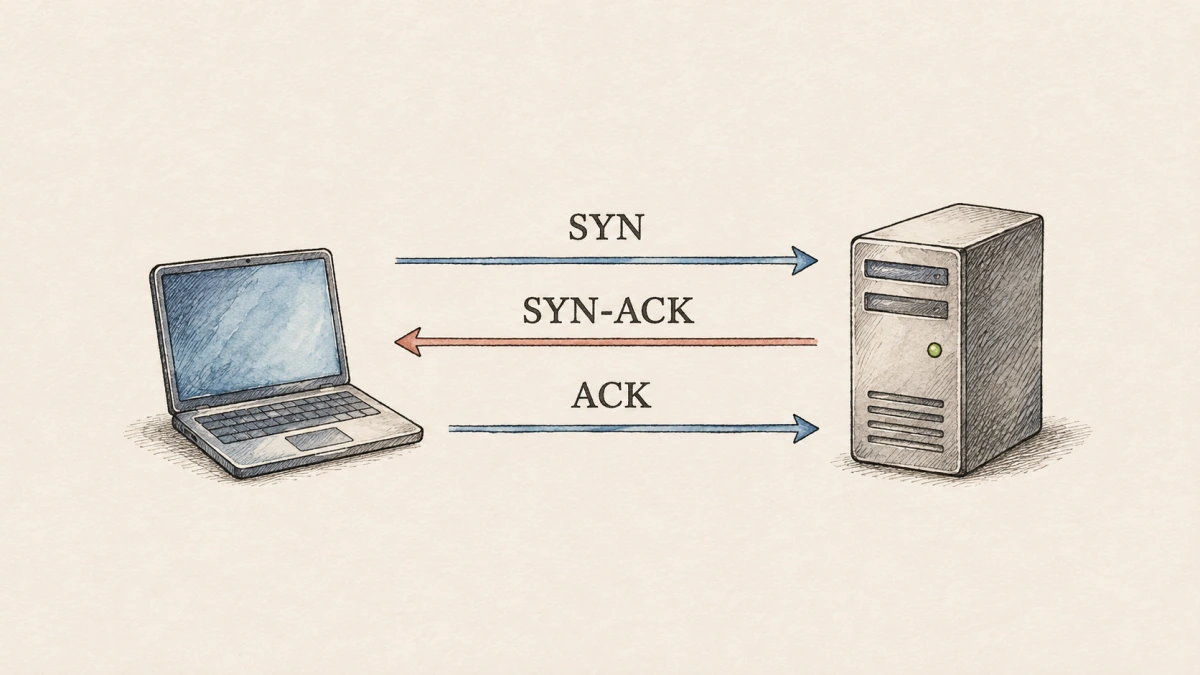
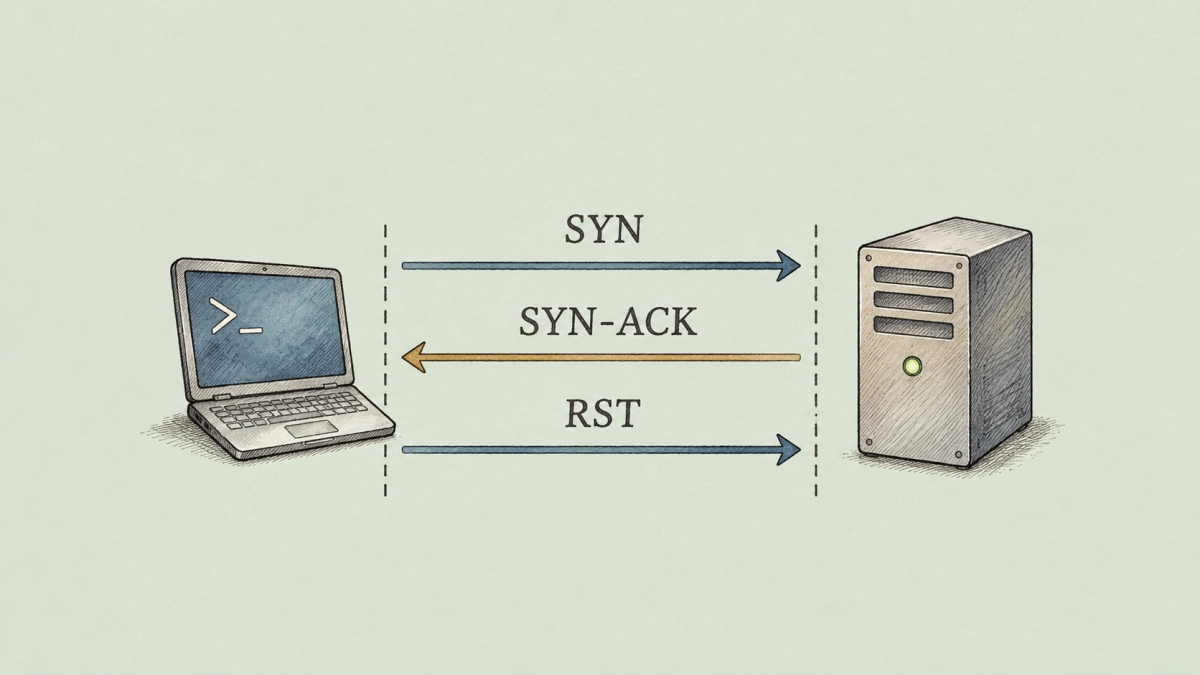
TCP Half-Open Scans Learn From an Unfinished Handshake
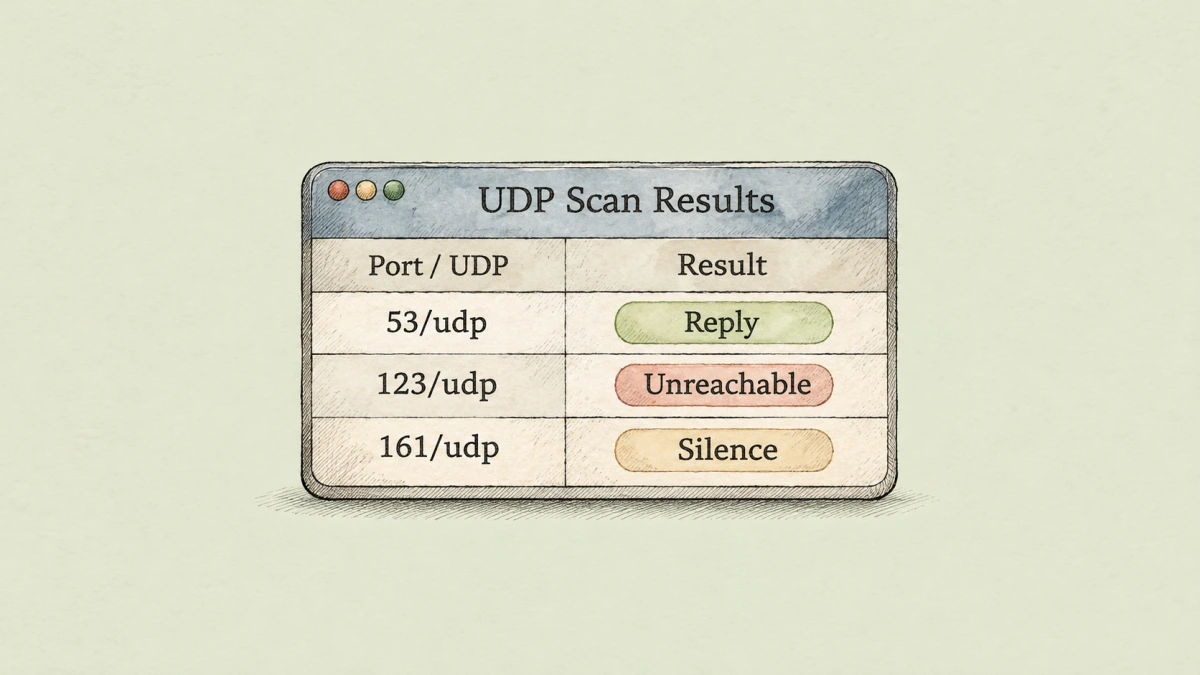
UDP Scans: Why No Reply Doesn't Mean a Port Is Closed
QUOTE:
"Amateurs hack systems, professionals hack people."