Lattice Techniques: How Levels and Categories Control Access

A person cleared to read sensitive information may still be kept out of a particular project's files. A system that tracks both sensitivity and project access needs more than a ladder from “low” to “high.”
Lattice techniques, in access control, organize security labels so rules can account for both sensitivity and categories. A category might identify a project or department. Together, the labels help a system decide who may use information and where that information may go.
This is one use of the word lattice. Lattice-based cryptography uses mathematical problems to help protect secrets. The label system explained here organizes permissions; it doesn't encrypt the files.

- Sign in to CAC and PIV sites from your own desk instead of driving back to the office.
- Start working the minute you plug it in, with no drivers to install on Windows 10/11 or a recent Mac.
- Slim enough to live in your laptop bag, so your card goes wherever you work.
Two labels side by side
Consider an invented organization with two projects, Maps and Sensors. Both handle information at the same sensitivity level, called Restricted. One file has a Restricted + Maps label. Another has Restricted + Sensors.
Neither label is higher than the other. They have equal sensitivity but cover different projects. Someone allowed to read Maps material doesn't automatically get Sensors material as well.
Mathematicians call this a partial order. Some items can be ranked against each other, while others are incomparable: neither includes the other under the rules being used.
Now add a third label: Restricted + Maps + Sensors. It includes both categories at the same sensitivity. It therefore dominates the two narrower labels.
“Dominates” has a precise meaning here: the sensitivity must be at least as high, and the categories must include those in the other label. Moving up in sensitivity alone doesn't supply a missing project category. The Internet Security Glossary's lattice definitions describe this relationship.
Opening a file is only the first decision
An access-control policy needs rules for actions as well as labels. Reading a sensitive file is one action. Copying its contents somewhere less protected is another.
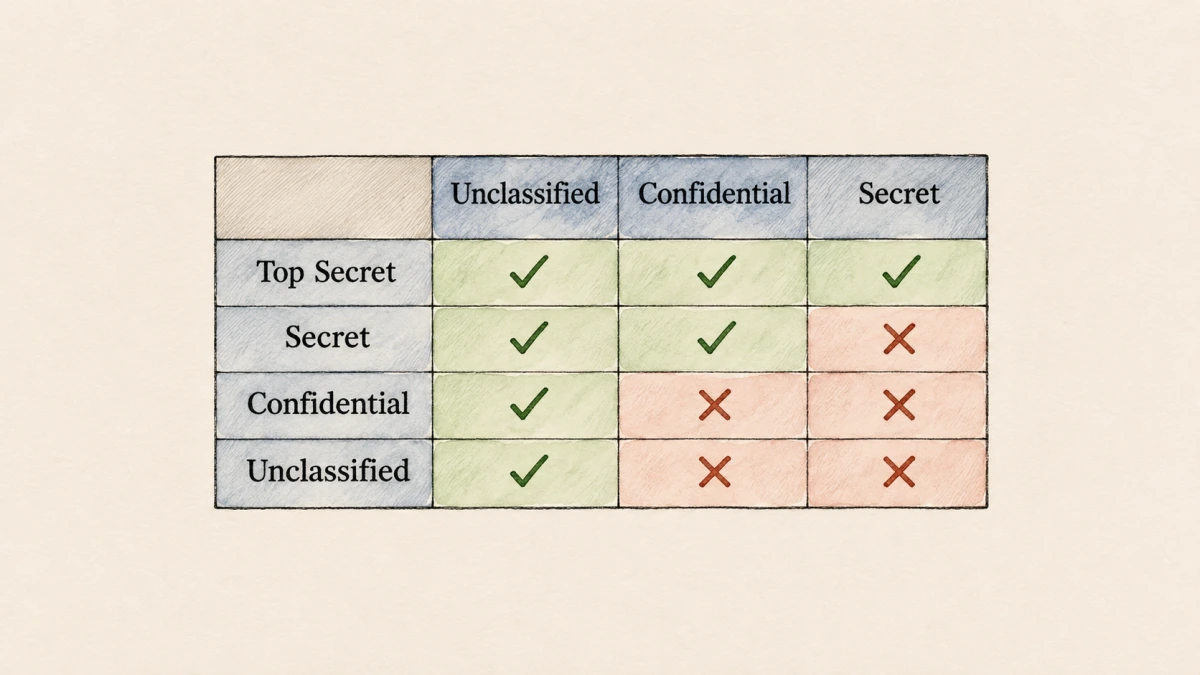
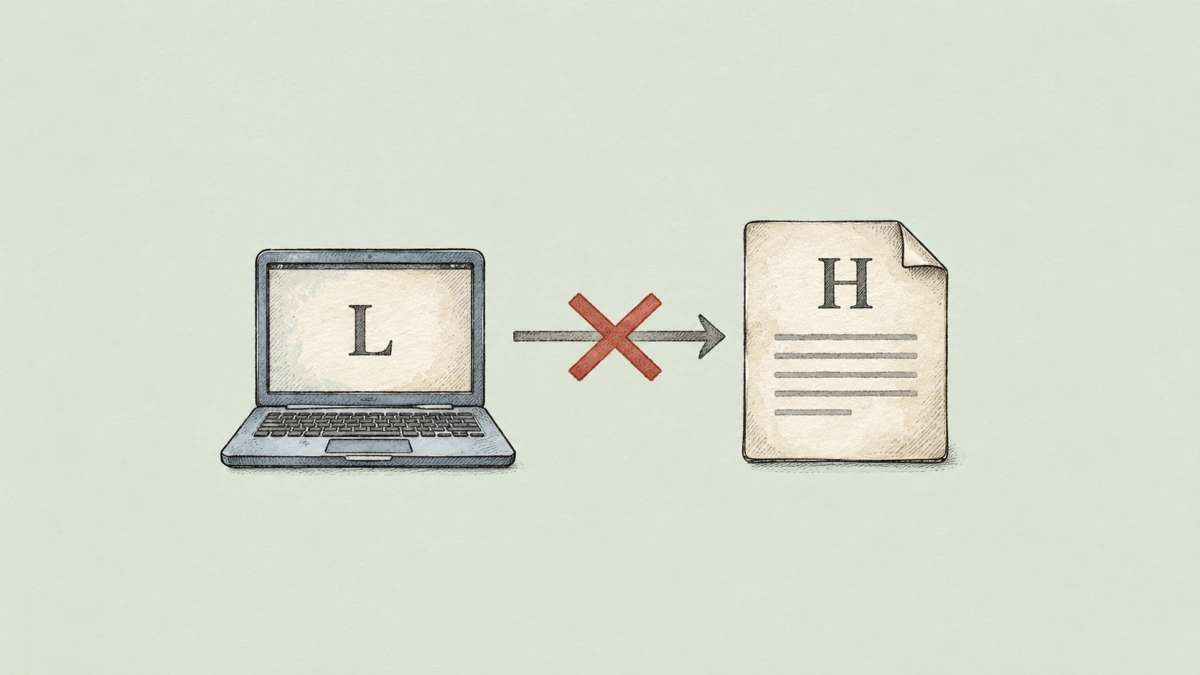
The Bell–LaPadula model uses label relationships to protect confidentiality, keeping information from being disclosed where the policy forbids it. Two of its rules are known as no read up and no write down.
For a read, the acting user's or program's label must dominate the file's label. For a write, the destination's label must dominate the acting user's or program's label. This blocks copying higher-level information into a lower-level resource. Both comparisons include the categories, not just the sensitivity level.
The National Institute of Standards and Technology's assessment of access-control systems explains these rules.
These are rules of a particular confidentiality model. Other policies using lattices can make different choices. For example, Red Hat Enterprise Linux 9's documented Multi-Level Security policy requires equal sensitivity for writing, a stricter choice than merely prohibiting writing down. Ordinary permissions still apply as well.
The Model Behind 'No Read Up, No Write Down'
The label has to match the information
A label-based policy depends on correct labels and enforcement. In systems using mandatory access control, labels are administered under a central policy. The comparison itself doesn't inspect a new document to discover which projects its contents concern.
In our example, suppose a document contains material from both Maps and Sensors but receives only the Maps label. A user permitted to read only Maps material could then see Sensors information through that document, even if the label comparison worked exactly as designed.
Mandatory Access Control: Even the Owner May Be Told No
Simple Security Property: How the No-Read-Up Rule Works
Integrity Star Property: Why Lower-Trust Programs Can’t Write Up
QUOTE:
"Amateurs hack systems, professionals hack people."