Access Control Lists: The Rules That Let Requests Through
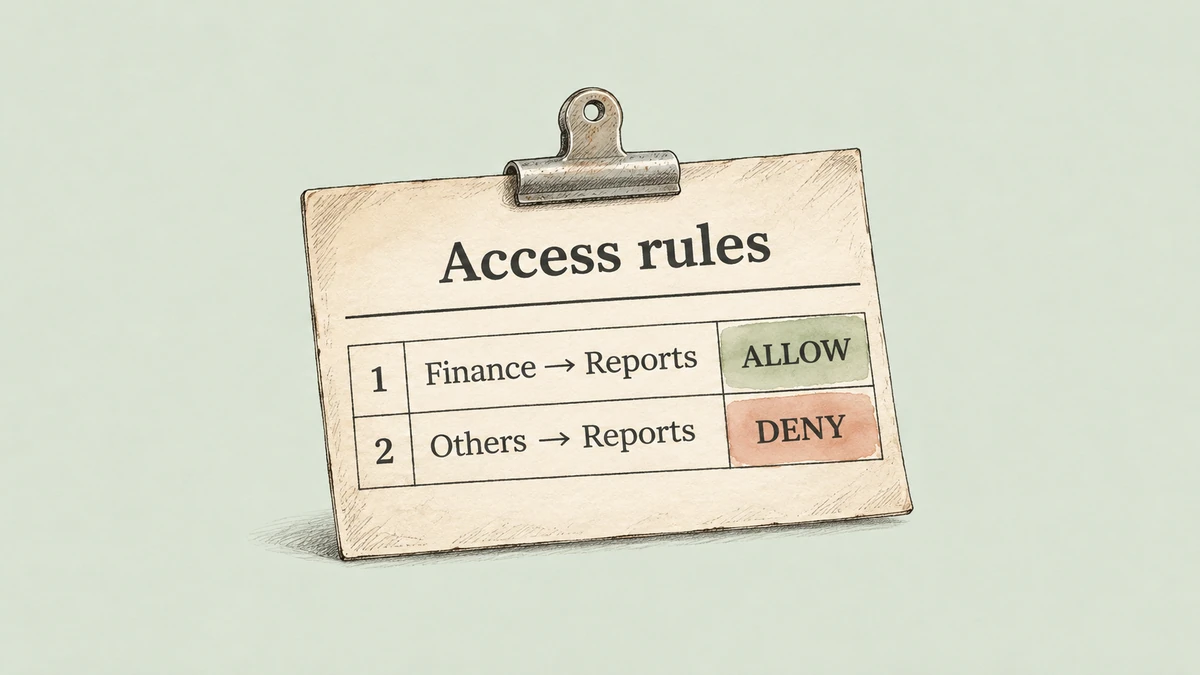
An access control list is a set of permission rules attached to something you want to protect. You'll find ACLs on network equipment and files, but the rules don't work exactly the same way everywhere.
ACL stands for access control list. It records which requests are permitted or denied, using details the system can check.
A file's list might give a team permission to read a report. A network list might allow traffic from one group of computers and block another.

- Keep the internet up by connecting a second provider as backup.
- Reach your home network securely from anywhere with built-in VPN support.
- Filter and block unwanted traffic with a real firewall.
Follow one packet through a network list
A packet is a small unit of data traveling across a network. Its addressing information tells equipment where it came from and where it's going.
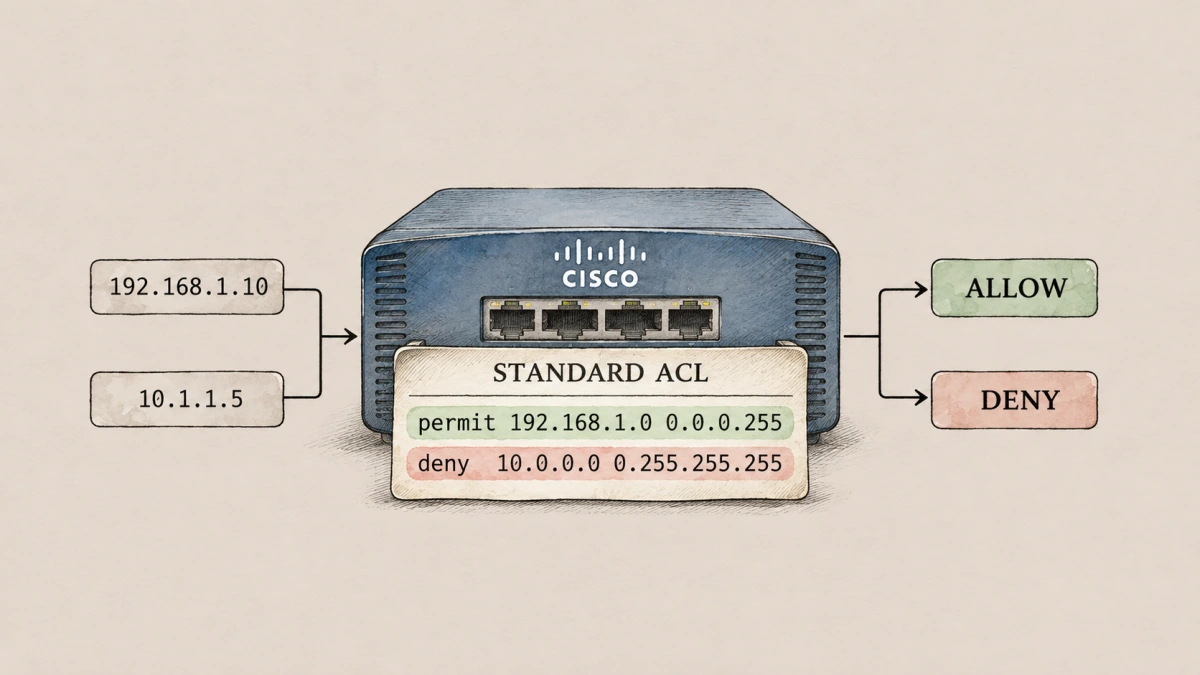
A network ACL can compare that information with its rules. Depending on the type of list, the rules may check an IP address, a numerical network address, or a port, a number that helps direct traffic to a particular service.
Here's a simplified example for traffic headed toward a company's reporting system. It's a description of a policy, not commands you can paste into a device.
| Order | Rule |
|---|---|
| 1 | Allow the finance team's computers to reach the reporting service. |
| 2 | Deny other computers access to that service. |
| 3 | Allow the remaining traffic covered by this example. |
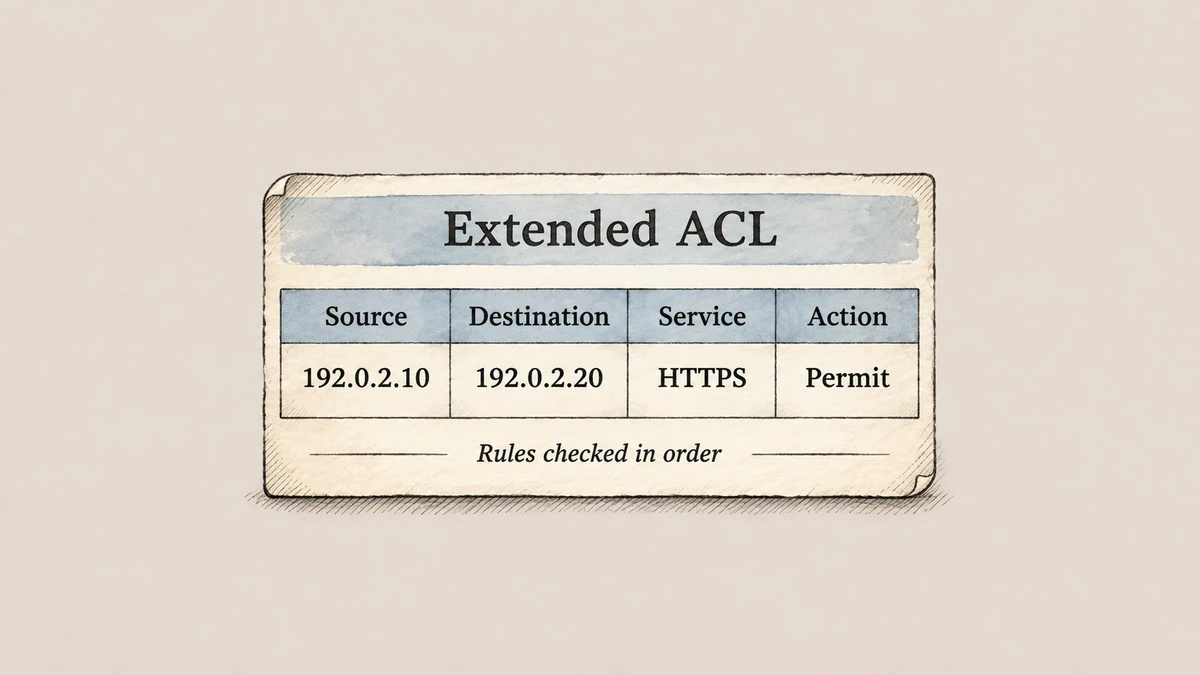
For the IP ACLs described in Cisco's configuration guide, the first matching rule decides the result. Once a packet matches, later entries don't get a vote.
Move the broad “allow” rule to the top and the restrictive rules below it may never be reached. The same lines can therefore produce different results when their order changes.
Those Cisco ACLs also have an implicit deny: an unwritten final refusal for traffic that hasn't matched an allow rule. Don't assume every product or kind of ACL handles missing rules the same way.
Files use lists, too
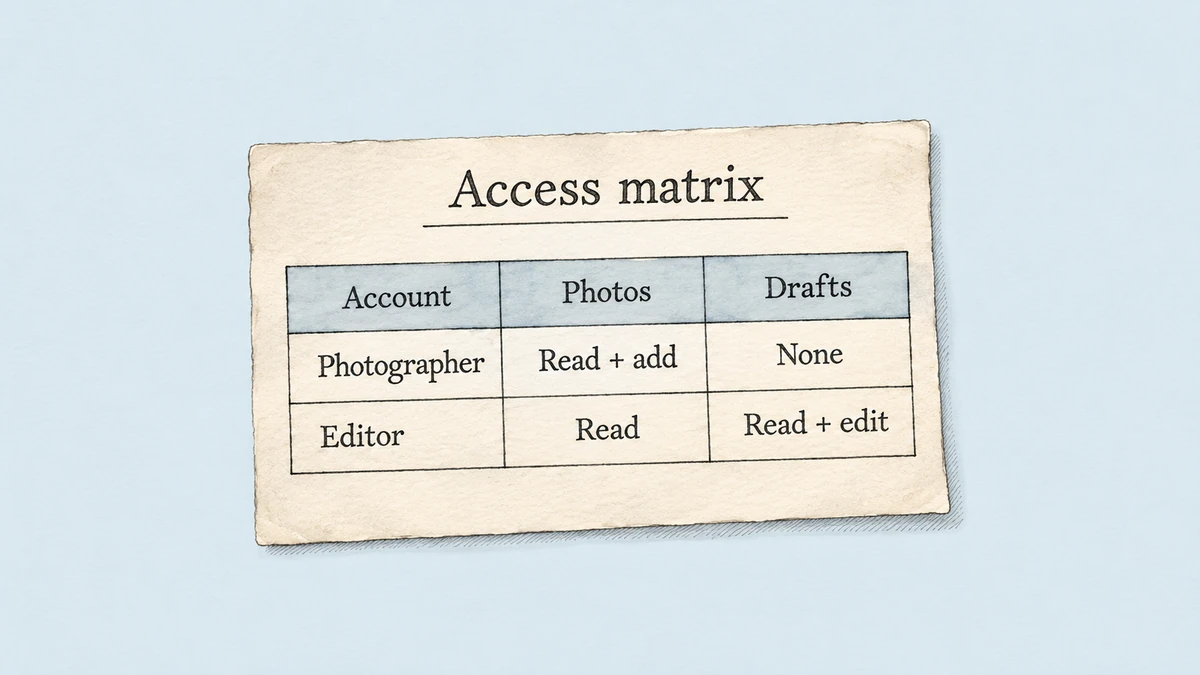
On a file, an ACL can identify accounts or groups and the actions they're allowed to take. Reading, changing and deleting the file are different permissions.
Windows distinguishes two kinds of lists. A discretionary access control list, or DACL, controls allowed and denied access; a system access control list, or SACL, specifies access attempts to record for auditing.
Auditing means keeping records that can be examined later. A list used to record an attempt isn't the same thing as a list used to block it.
Microsoft's ACL documentation explains an easily missed distinction: a Windows object with no DACL permits full access, while an empty DACL permits none. “There are no entries” is therefore not enough information to judge the result.
How a Router Decides What Gets Through
What a rule list can't tell you
Allowing traffic from an IP address doesn't prove which person is using the computer or whether its software is safe. The application still needs appropriate identity checks and permissions of its own.
Likewise, a basic address-and-port list isn't a reliable catalog of website content. It matches network details, rather than deciding whether a page is educational, fraudulent or suitable for children.
NIST's definition of an ACL centers on permitted entities and their rights. That's a narrower job than recognizing every harmful request that could travel through an allowed connection.
When reviewing a list, ask what it matches, how rules are combined, where it's applied and what happens when nothing matches. Those details matter more than how long the list looks.
Access Matrix: A Table That Shows Who Can Do What
Cisco Standard ACLs: One Source Rule Can Reach Far
Cisco Extended ACLs: The Rule Order Can Change Everything
QUOTE:
"Amateurs hack systems, professionals hack people."