How to Ask AI Better Questions Without the Magic Words
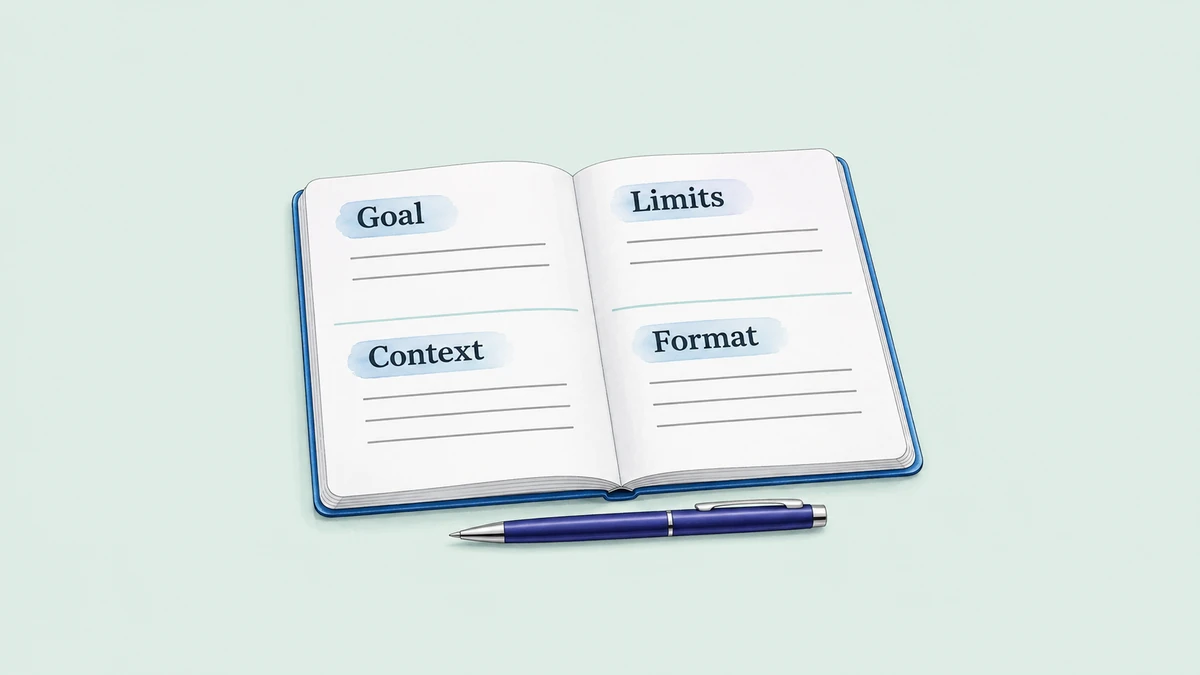
- Start With the Job You Need Done
- Give It the Material, Not Just the Assignment
- Show the Style When a Description Isn't Enough
- How Does a Chatbot Come Up With Its Words?
- Fix the Specific Thing That Went Wrong
- Ask for Questions When the Missing Details Matter
- Better Instructions Still Need a Fact Check
A prompt is the question or instruction you give an AI system. A better one usually explains what you're trying to do and what a useful answer would look like, without requiring special vocabulary or a page of elaborate commands.
You can ask a chatbot to “help with an email” and get something grammatically polished that says almost nothing. The missing ingredient may be ordinary context: who will read it, what happened and what you need that person to do.
Start With the Job You Need Done
“Make this better” asks the chatbot to choose its own meaning of better. It might make the writing longer, more formal or more enthusiastic when you wanted a short, direct request.
For a fictional scheduling problem, you could ask:
Draft an email to a colleague asking to move our Thursday meeting to Friday afternoon. Keep it friendly and under 80 words, and don't invent a reason for the change.
The request names the task, the audience and two limits. Those details give the system something to work toward and give you something to check when it answers.
Anthropic's prompting guidance recommends clear instructions, relevant context and a specified output format. You don't have to use all of those in every message; include the information that changes the answer you want.
Explain What “Good” Means for This Task
For an explanation, that might be your level of knowledge. For a comparison, it might be the factors you care about, such as setup effort or whether a tool works offline.
Compare “Explain password managers” with this request:
Explain how a password manager works to someone who has always written passwords in a notebook. Define the unfamiliar terms and give one example of signing in to a website.
The second prompt doesn't demand more expertise from the user. It supplies the background the chatbot would otherwise have to guess, and it asks for an example that can make the explanation easier to follow.
Give It the Material, Not Just the Assignment
If the task is to summarize a document, the chatbot needs access to the document. Naming a report or pasting a link doesn't guarantee that the tool can open it, especially if it sits behind a login or isn't available through that product.
Upload the file or paste the relevant section when you have permission to share it. Ask the chatbot to confirm which material it could read before relying on a summary.
For a meeting transcript, a useful request could be:
From this transcript, list the agreed actions in a table with columns for task, owner and deadline. Use “not stated” when the transcript doesn't name an owner or date, and don't fill gaps with guesses.
That final instruction matters because an empty cell can be the correct answer. A tidy table with invented deadlines is worse than a table that makes the missing decisions visible.
Google's prompt-design guide recommends supplying context and making the desired response explicit. For a document task, the source material is often more valuable than another paragraph telling the system to be clever.
Show the Style When a Description Isn't Enough
Words such as “professional,” “warm” and “punchy” leave room for interpretation. A short example can show the tone or structure you mean, especially when you're asking for several items to follow the same pattern.
You might provide one fictional event listing, then ask the chatbot to use the same order for the others: event name, date, place and a one-sentence description. Tell it that the example supplies the format, while the new event details supply the facts.
Choose examples carefully. If your sample includes unnecessary hype or inconsistent dates, the model may repeat those features along with the ones you intended, a reason Google's guide emphasizes consistent examples.
This works because language models respond to patterns in their input as well as direct instructions. You can influence the output by demonstrating what you mean, without assuming the system shares your taste or understands an unstated preference.
How Does a Chatbot Come Up With Its Words?
Fix the Specific Thing That Went Wrong
A first answer is something you can revise in conversation. You don't need to start over each time, but it helps to describe the problem more precisely than “try again.”
If the scheduling email sounds stiff, say “Use everyday language and remove the opening small talk.” If it invents an excuse, say “I didn't give a reason for moving the meeting; remove that sentence.”
For an explanation that's still confusing, point to the gap: “I understand how the password is saved, but how does it get into the sign-in box?” That gives the next answer a clear destination.
When several requirements compete, name the priority. A request for a complete explanation in one short sentence may be impossible to satisfy well; allow another sentence or ask the system to focus on the one part you need first.
If the task has changed substantially, a fresh conversation may be easier to manage. Carry over the relevant facts and requirements so the new chat doesn't have to reconstruct what you meant.

- Explore AI as a collaborator, teacher and coach.
- Learn how Ethan Mollick approaches the opportunities and limits of working with AI.
- A book about human judgment and AI use, rather than a guide to current app menus.
Ask for Questions When the Missing Details Matter
You don't always know what context to provide. For an open-ended task, ask the chatbot to identify the few missing details that would most affect its answer before it begins.
For example: “Help me plan a beginner photography workshop; first ask up to three questions about the audience and what they should learn.” Those answers can prevent a polished plan for the wrong group of people.
Keep the request proportional to the task. An email with a clear purpose usually doesn't need an interview, while a training plan may depend heavily on the learners' experience and available time.
You can also ask the system to state its assumptions. That makes it easier to notice that it has planned for a classroom when you meant an online session.
Better Instructions Still Need a Fact Check
Clear prompts can improve relevance, structure and style. They can't guarantee that the model knows a fact, understands every source or has access to current information.
For a factual answer, request supporting sources and inspect them. When you're working from a supplied document, ask the chatbot to identify the passage behind each important claim and distinguish that evidence from its own interpretation.
Anthropic's hallucination guidance recommends allowing uncertainty and checking claims against evidence. “Don't make anything up” communicates a preference, but it doesn't turn a chatbot into a verified reference work.
Likewise, “act as an expert” can help set a tone or viewpoint without providing qualifications the system doesn't have. The test remains whether the answer is accurate and useful for the job you gave it.
Keep private details out of examples when they aren't needed. A fictional customer name or a small, permitted excerpt can often provide enough context without uploading an entire confidential file.
Return to that scheduling email and check the result against your request: the right day, a friendly tone, fewer than 80 words and no invented excuse. That's a practical way to judge a prompt—by whether it helps produce work you can actually use.
Andrej Karpathy Takes AI Apart So You Can Understand It

Machine Learning and Evolution: When 98 Percent Is a Failure

Gemini in November 2026: What’s Better, and Why

QUOTE:
"Amateurs hack systems, professionals hack people."