Is Your AI Chat Private? The Settings That Matter
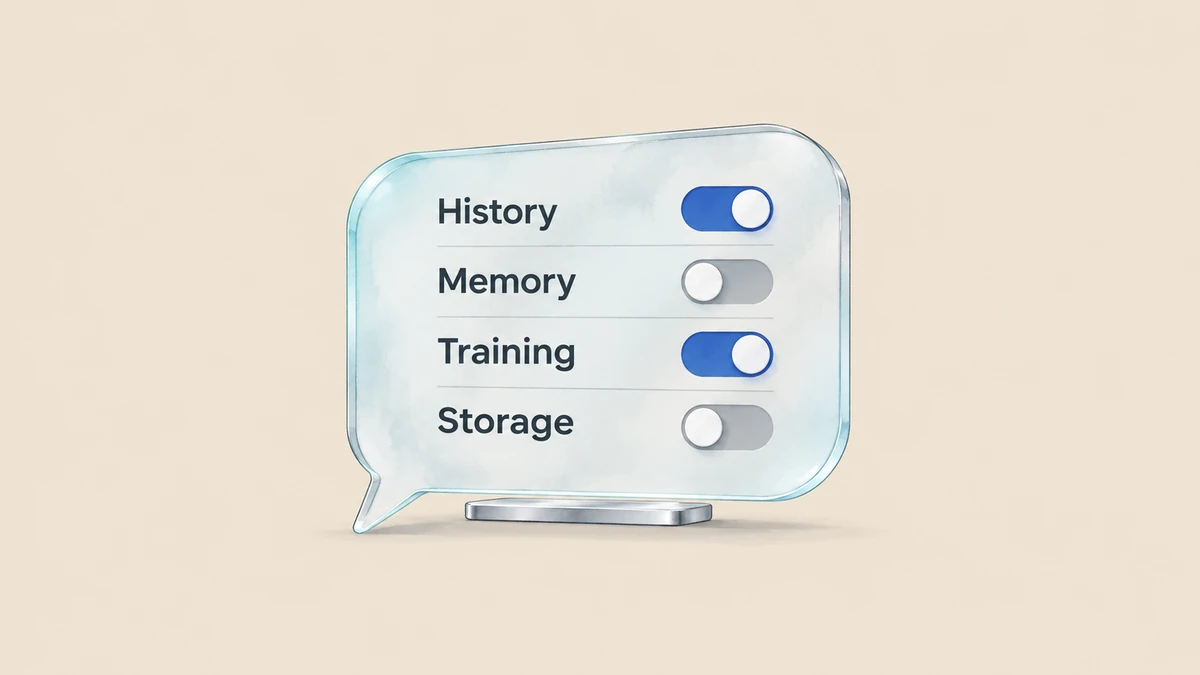
An AI chatbot is a service you can talk to in ordinary language, but the conversation can travel beyond the box on your screen. Before you paste in something private, it helps to know what the service saves, what it remembers and what it may use to improve its models.
Those are separate questions, with separate settings. Turning off one switch doesn't necessarily answer the others, and paying for a personal subscription doesn't automatically give you a company's business protections.
Four Things “Private” Can Mean
Most popular chatbots process your messages on the provider's computers. That lets them do demanding work without making your laptop do it all, but it also means the provider receives what you send.
The confusing part comes afterward. A chat can disappear from your sidebar while information from it remains elsewhere, or stay in your sidebar while being excluded from model training.
| Control | What it governs | What it doesn't establish by itself |
|---|---|---|
| Chat history | Whether you can reopen a conversation in the app. | Whether the provider retains another copy. |
| Memory or personalization | Information used to tailor later responses to you. | Whether your chats help train models. |
| Model improvement | Whether eligible content can help improve the provider's AI. | Whether the conversation is stored or processed for safety. |
| Retention and deletion | How long different records remain and how removal works. | What a connected outside service does with data it received. |
Training means changing the model through a learning process, rather than simply letting it read your message to answer you. Memory usually means stored information used to personalize your experience, such as your preferred writing style or details you've shared.
For example, OpenAI's memory guidance says deleting a conversation doesn't automatically delete a separate saved memory from it. If your aim is to remove remembered information, the history list isn't the only place to check.
What to Check in ChatGPT, Gemini and Claude
The following controls were checked against the providers' documentation in November 2026. They describe personal accounts; workplace accounts can have different rules and administrator settings.
ChatGPT: Keep History Without Sharing It for Training
In ChatGPT, open Settings → Data controls and look for Improve the model for everyone. Turning it off allows you to keep regular chats in your history while opting out of their use for model improvement, as OpenAI explains.
Temporary chats stay out of history and aren't used to improve models while they remain temporary. OpenAI says a copy may still be kept for up to 30 days for safety; saving one as a regular chat changes how it's handled.
Temporary also doesn't always mean unpersonalized. Current temporary-chat options let you choose whether existing memories help shape the response, even though the temporary conversation doesn't create or update memories.
Gemini: Review Keep Activity
Google's Keep Activity setting controls an important part of how Gemini saves and uses conversations. With it off, future chats aren't used to improve Google's AI models unless you submit feedback; temporary chats are also excluded from training.
Google still retains those conversations for 72 hours and can use them, including human review, for safety and service protection. Its Gemini privacy notice distinguishes those uses from reviewing chats to improve the models.
Deleting history has limits here, too. Google says chats already reviewed by people are kept separately from your account and can remain for up to three years, rather than being removed when you delete your history.
Claude: Check Model Improvement and Incognito
For personal Claude accounts, review Model Improvement in the privacy settings. Anthropic's training policy describes consent-based model improvement, along with separate uses for submitted feedback and conversations flagged for safety review.
Claude's incognito chats aren't saved to your history or memory and aren't used for model improvement. The incognito guide says they're normally retained for 30 days, so “incognito” isn't a promise of immediate disappearance.
In all three services, feedback deserves a second look. Sending a thumbs-up or thumbs-down can share the associated conversation under separate feedback rules, even when you've otherwise opted out of training.
The File Often Says More Than the Question
You might ask a chatbot to improve one sentence in a document and upload the whole file to save time. The provider then receives far more than the sentence: perhaps client names, salaries or comments you weren't asking it to examine.
Send the smallest useful excerpt instead. In a fictional customer-service example, “A customer ordered two lamps, and one arrived broken” is enough to draft an apology; the customer's address and payment details add nothing to that task.
Replacing a name with “Customer A” helps, but it isn't complete anonymization. A rare job title, exact date and small town can identify someone when combined, a distinction explored in our guide to data aggregation.
What Counts as Personal Information?
Screenshots deserve the same quick inspection. A chat about a confusing error message doesn't need the account number, email address or private conversation visible elsewhere in the image.
This is a useful habit even when you trust the provider. The less unnecessary information you send, the less you need its settings to protect afterward.
Connected Apps Add Another Recipient
Giving a chatbot access to email, cloud files or a calendar can make it more useful. It also gives the service a way to retrieve information beyond the messages and files you manually provide.
Review the permission screen for the specific app and action. Access to read an event is different from permission to change it, and a connection to one folder is different from access to an entire drive.
OpenAI's temporary-chat guidance gives a concrete example: data sent to a third party through a GPT action follows that recipient's privacy policy. The temporary-chat label doesn't bring the outside service under OpenAI's retention rules.
The same basic question belongs on every connected service's permission screen: where will this information go? If an action would send a document elsewhere, check the destination and contents before approving it.
A Work Account Is a Different Arrangement
OpenAI says it doesn't train on ChatGPT Business, Enterprise and Edu content by default. Anthropic makes a similar default commitment for its commercial services, described in its commercial-data policy.
That doesn't mean every colleague should upload every company file. Your organization's access rules, retention policy and approved uses still matter, and administrators may have controls or records that aren't present in a personal account.
Use the account and tool your workplace has approved for the information involved. A personal paid plan and a managed business workspace can share a familiar interface while operating under different terms.

- Learn how you are tracked online and how to cut it down.
- Pick up practical privacy habits you can start today.
- Get advice from someone who once evaded the FBI.
Before your next sensitive question, try rewriting it without the sensitive details. If the chatbot can do the job just as well, you've improved your privacy before touching a single setting.
Data Aggregation: How Useful Summaries Can Mislead You
Least Privilege: Give Each Account the Power Its Work Needs
Gemini in November 2026: What’s Better, and Why
QUOTE:
"Amateurs hack systems, professionals hack people."